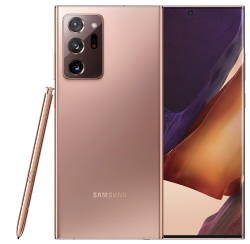
 Like Galaxy Note 10, Samsung released two models Galaxy Note 20: Note 20 and Note 20 Ultra. Many existing Galaxy Note owners were very disappointed with this year’s Galaxy Note models. This post summarizes the top 11 disappointments of Galaxy Note 20 and Galaxy Note 20 Ultra.
These disappointments include inconvenient S Pen Slot location, lacking apps for S Pen, no S Note app, disturbing curved screen on Galaxy Note 20 Ultra, an inferior in-display fingerprint reader, mediocre Exynos CPU/chipset in most regions, missing micro SD card support on Galaxy Note 20, plastic back on Galaxy Note 20, overpriced, no spare S Pen nibs and removing tool, no USB connector and no clear cover.
With the release of Galaxy Note 20 and Galaxy Note 20 Ultra, Samsung also released the updated Galaxy Buds Live, which adds active noise cancelling (ANC) and a totally new design to Galaxy Buds +.
Inconvenient S Pen slot location
Galaxy Note 20 and Note 20 Ultra relocated the S Pen slot to the left side of the charging port. In all previous generations of Galaxy Note phones, the S Pen slot is always on the right side so that it is very convenient for right-handed users to access it.
The relocation is apparently to create space for the bumped camera modules on Galaxy Note 20 Ultra. It seems the engineer just duplicated the design of S20 Ultra, which does not need a slot for S Pen.
It is one of the most inconvenient “new” features of Galaxy Note 20 and Galaxy Note 20 Ultra. For right-handed owners, it is very awkward to access the S Pen on Galaxy Note 20 and Galaxy Note 20 Ultra.
This relocation reflects the arrogance of Samsung engineers. And it proves very likely Galaxy Note designers never or seldom use S Pen. Maybe, they use iPhones.
Without the S Pen, Galaxy Note is just a bigger (now identical) Galaxy S phones. Designers should always put S Pen in the spotlight.
The inconvenient S … Read the full post
 Almost certainly, Samsung will announce the Galaxy Note 3 during (before)
 This is our second S Note video tutorial. In this tutorial,we will learn how to change the appearance or typesetting of your text in S Note. This includes font type, text size, text decoration, paragraph spacing, paragraph alignment, paragraph indent, pre-defined styles, and list styles.
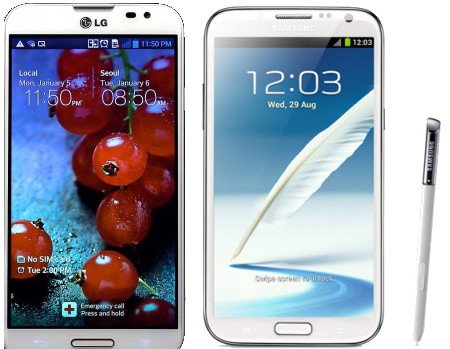
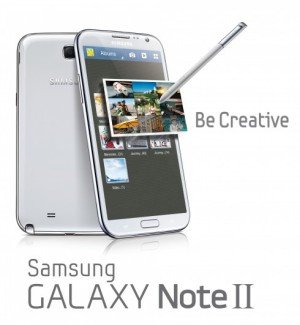 As rumored (or expected), Samsung announced the second generation of Galaxy Note, Galaxy Note 2, at IFA 2012 yesterday. Now, the first Jenny Bean(out of box, not through update) phone.
 Pop up play was debuted on Galaxy S3 last May. In the Googl Play store, there are a few paid apps (e.g., Stick it! (Pop-up Player)) doing the similar job. What it does is quite simple, you can watch your video and use other apps at the same time. The video will be re-sized as thumbnail and you can move it to any locations on your screen. Pretty cool, right?
 Yes,
Yes,