• Skip to primary navigation
  • Skip to main content
  • Skip to primary sidebar
  • Skip to footer

Galaxy Note Tips & Tricks

  • Note 10
    • Official Samsung Galaxy Note 10 User Manual
    • Unbox Galaxy Note 10: What are included in Galaxy Note 10 Box?
      • How to use the new Galaxy Note 10 S Pen?
      • How to use Galaxy Note 10 Clear View cover (S View cover)?
      • Install S Note app and Extension pack on Galaxy Note 10
      • Galaxy Note 10 LED View Cover Guide and Review
      • How to use the Dynamic Lock screen on Galaxy Note 10?
    • How to charge Galaxy Note 10 battery?
    • How to use Samsung DeX for PC with Galaxy Note 10 and Galaxy Note 10+?
    • Galaxy Note 10 SIM Card Guide
    • How to Use Galaxy Note 10 Camera App?
    • Galaxy Note 10 Layout
      • Where is the Galaxy Note 10 zoom-in mic?
      • How to use and remap Galaxy Note 10 Side key?
    • Galaxy Note 10 review: the death of Galaxy Note
      • Top 10 new features of Galaxy Note 10 and Note 10+ you should try
      • Top 10 missing features of Galaxy Note 10 and Note 10+ you should know before buying
      • Galaxy Note 10 vs Galaxy Note 10+: what are the differences?
  • Note 9
    • Top 9 new features of Galaxy Note 9
    • Official Samsung Galaxy Note 9 user manual
    • How to use Galaxy Note 9 S Pen?
      • How to use S Pen remote control on Galaxy Note 9?
      • How to change Galaxy Note 9 S Pen nib?
  • Note 8
    • Official Samsung Galaxy Note 8 User Manual
    • Top 8 new features of Galaxy Note 8
  • Note 7
    • Samsung Galaxy Note 7 User Manual
    • Galaxy Note 7 Layout
    • Samsung Galaxy Note 7 Specifications
    • Charge Galaxy Note 7 battery
    • Galaxy Note 7 SIM card guide
    • How to disable Galaxy Note 7 Flipboard briefing?
    • How to access and use Galaxy Note 7 notification panel?
    • How to manage and use Galaxy Note 7 quick setting buttons?
    • Galaxy Note 7 home screen guide
      • App folders in Galaxy Note 7 home screen
      • Add, use and manage apps in Galaxy Note 7 home screen
      • Use Galaxy Note 7 screen grid to customize app icon size
    • Meaning of Galaxy Note 7 indicator icons in status bar
  • Note 5
    • Top 12 new features in Galaxy Note 5 Android Nougat udpate
    • Official Samsung Galaxy Note 5 user manuals with Android Nougat update
    • How to take screenshot on Galaxy Note 5 without using any apps?
    • Galaxy Note 5 layout
    • Galaxy Note 5 SIM card guide
    • Charge Galaxy Note 5 battery
    • Everything about Galaxy Note 5 S Pen
    • How to use Galaxy Note 5 screen off memo?
    • Galaxy Note 5 touch screen gestures
    • Galaxy Note 5 home screen
    • How to disable flipboard briefing on Galaxy Note 5?
    • How to use Galaxy Note 5 apps screen?
    • How to use Galaxy Note 5 lock screen?
    • How to use app folders on Galaxy Note 5 home screen?
    • How to use Galaxy Note 5 notification panel?
    • Meaning of Galaxy Note 5 status icons and notification icons
    • How to use Galaxy Note 5 quick settings?
    • Galaxy Note 5 air command
    • How to add app shortcuts to Galaxy Note 5 air command?
    • How to use scroll capture in Galaxy Note 5?
    • How to use Galaxy Note 5 themes?
    • How to unhide and access Galaxy Note 5 developer options? and how to hide Galaxy Note 5 developer options?
    • Galaxy Note 5 case guide
  • Note 4
    • Galaxy Note 4 Camera Guide
      • How to take photos continuously without reviewing the photos on Galaxy Note 4?
      • How to use volume button to take photos in Galaxy Note 4?
      • How to use voice commands to take photos and record videos on Galaxy Note 4?
      • How to manage and download Galaxy Note 4 camera effects?
      • How to set storage location for Galaxy Note 4 camera?
      • How to use Galaxy Note 4 camera burst mode?
      • How to customize Galaxy Note 4 camera app interface (and shortcut menu)?
      • How to set picture size and video size for Galaxy Note 4 camera?
      • How to use Galaxy Note 4 video recording modes?
      • How to manage and download Galaxy Note 4 camera modes?
      • Galaxy Note 4 camera modes user guide
    • How to take a screenshot on Galaxy Note 4?
    • How to turn off/on the touch key light (return and recent) on Galaxy Note 4?
    • How to access Galaxy Note 4 hardware menu button?
    • How to turn off Flipboard briefing on Galaxy Note 4 home screen?
    • How to create app folders on Galaxy Note 4 home screen and app drawer?
    • Galaxy Note 4 case guide
    • How to add widgets to Galaxy Note 4 home screen?
    • How to customize Galaxy Note 4 ringtones?
    • How to use Galaxy Note 4 download booster?
    • How to create own vibration patterns on Galaxy Note 4?
    • How to use Galaxy Note 4 finger scanner?
    • How to silence Galaxy Note 4?
    • How to install S Note idea sketch and easy chart on Galaxy Note 4?
    • Meaning of Galaxy Note 4 status icons and notification icons
    • How to use Samsung keyboard?
    • How to use Galaxy Note 4 side key panel?
    • How to enable and access Galaxy Note 4 air command?
    • How to customize Galaxy Note 4 notification tone?
    • Galaxy Note 4 S View Flip Cover Guide
  • Manual
    • Official Samsung Galaxy Note 10 User Manual
    • Official Samsung Galaxy Note 9 user manual
    • Official Samsung Galaxy Note 8 User Manual
    • Official Samsung Galaxy Note 5 user manuals with Android Nougat update
    • Samsung Galaxy Note 7 User Manual
    • Galaxy Note 5 User Manual
    • Updated Galaxy Note 4 User Manual for Android Lollipop Update
    • Galaxy Note 4 User Guide (Kitkat)
    • User manual for Galaxy Note 3
    • Galaxy Note 3 Customer Consultant Guide
    • Galaxy Note 3 Online User Guide
    • User manual for Galaxy Note II (Note 2)
    • User manual for Galaxy Note (Note 1)
    • User manual for Galaxy Note 10.1
    • User manual for Samsung Galaxy Note 8.0
    • Read Online Manual
      • Read Online User Manual for Galaxy Note 3
      • Read Online User Manual for Galaxy Note II (Note 2)
      • Read Online User Manual for Galaxy Note (Note 1)
      • Read Online User Manual for Galaxy Note 10.1
      • Read Online User Manual for Galaxy Note 8.0
    • User manual for Galaxy Note 10.1 2014 Edition
    • Old User Manual
  • S Note
    • Install S Note app and Extension pack on Galaxy Note 10
    • Everything about Galaxy Note 5 S Pen
    • How to use Galaxy Note 5 screen off memo?
    • How to install S Note idea sketch and easy chart on Galaxy Note 4?
    • S Note Tutorial: how to use productivity tools
    • S Note tutorial: how to change text styles (appearance)
    • Top 10 New features of the New S Note in Galaxy Note 3
    • S Note Survival Guide
    • Tips and Tricks
      • 3 fast ways to create screenshot without using any apps
      • Top 12 new features you should try in Jelly Bean 4.1
      • Screen Mirroring with Galaxy Note 3
      • Who stole my butter? Solving slowness problems in after Jelly Bean update
      • How to solve battery issues after ICS update in your Galaxy Note?
      • Top 10 new features in Galaxy Note after ICS update
      • Top 10 questions on ICS update for your Galaxy Note
  • Home
    • About this community
    • Privacy
    • Contact Us
    • Register
    • Forums

Galaxy Note News

AllAboutGalaxyNote updated: from one-way communication to N-way

By Galaxy Note 2 Comments · First published on: June 24, 2012 · Last Modified on: September 14, 2013

galaxy-note-owners-communityYou may already notice this blog was updated this weekend: from a blog to a community.

Blogging is an effective to share experience, to discuss some specific issues with a small group peers. This is the original format of AllAboutGalaxyNote.com, powered by WordPress.

However, when a blog post has 100-200 discussions, the limitation is obvious: it is hard to navigate (although WordPress is really a solid platform). In addition, it is very hard for a visitor to start a new topic  due to the default security control in WordPress. So, an integrated forum is needed.

Sometimes, some people prefer private discussions. This is also hard to implement in WordPress.A private messaging system would be also helpful.

After some comparison, I chose BuddyPress, which is a social plugin for WordPress to extend the functions of WordPress.  So, all contents (posts and comments) are preserved. Now we get additional features with this update:

  • Private messaging (for registered users)
  • Forum
  • Chat room (coming soon)
  • Facebook integration (some users want to receive update from Facebook)
  • Google+ page (again, some users, like me, prefer receive update through RSS or Google +)

Now the communication is N-way.

Please give us feedback on any features, as well as your other suggestions.

What else do you want to have here?



 …

Read the full post


Filed Under: Galaxy Note News Tagged With: blog, chat room, community, facebook, forum, galaxy note, google plus, update, website, wordpress

Top 10 questions on ICS update for your Galaxy Note

By Galaxy Note 328 Comments · First published on: June 4, 2012 · Last Modified on: September 14, 2013

galaxy-note-ics-update-girl-with-phonesYes, ICS update is available for about one third Galaxy Note users. To get the most current    status on the availability of ICS update in different regions, you may check this post (I will update it once new info is available).

I received some inquiries on ICS update for Galaxy Note: some are through comment of the post mentioned above; others are through Google+.  For all these questions, I tried my best to answer them, and will continue to answer them.

I noticed there are some repeated questions, so I decided to put some frequently asked ones in this post to save reader’s time. It will not be just 10, as I will always update it if it is necessary.

Question #1. Why did some users get the ICS update earlier than me? 

Normally, firmware update must go through local testing. For regions with more users (and so Samsung collected more money there), the testing usually is faster. And Samsung also may put some sorts of priority for such regions.

The second reason is that the local carrier may want to bundle more bloatware (in addition to that bundled by Samsung). This may slightly delay the update availability. If your handset is subsidized, the carrier always tries very hard to give you more bloatware.

Another possible reason is marketing scheduling. For example, if Samsung is planning to launch Galaxy S3 in your region, usually it is not a good idea to release ICS update for Galaxy Note (another flagship product) just a few days before the launching event. In this case, the update will be normally scheduled after the event.

Question #2. Why should I update to ICS?

ICS update for your Galaxy Note is just a software update. Software generally is getting better and better: more stable, more functions, more compatible apps. Android 4.0 (ICS) is a major update merging software stacks for phone (Ginger Bread) and tablet (Android 3.0, Honeycomb). So, it is almost perfect for Galaxy Note, which is somewhere between phone and tablet.

Specifically, with ICS update for your Galaxy Note, you get

  • Latest
…

Read the full post


Filed Under: Galaxy Note Guides, Galaxy Note News, Galaxy Note Stories Tagged With: Android, Android 4.0, Android 5.0, ClockworkMod, CWM, face unlock, firmware, galaxy note, ics, Jelly Bean, Kies, My Story, OTA, premium suite, root, S Note, samsung, software, update

Galaxy Note Android 4.0 ICS source code is available now, why Samsung must release the source code?

By Galaxy Note Leave a Comment · First published on: May 23, 2012 · Last Modified on: September 14, 2013

Today, Samsung finally released the Android 4.0 (ICS) source code for Galaxy Note. If you are enthusiastic developer, you can work out your own ROM now very easily. Very likely, within one month, several different flavors of Galaxy ICS ROMs will be floating around.

open-source-softwareWhy does Samsung (and all other licensed Android hardware manufactures) have to release the source code to the public?  This is simply the obligation of using Android, because Android is using Apache license 2.0 except the Linux Kernel (which uses GPL v2 license).
Under Apache 2 license, user has the right to get the source code so that they can modify as they want (although this very likely will void the product warranty). So, the manufacturer MUST make the source code available to users, but it is NOT necessary to be under Apache license. For example, Samsung has its own license on using the the Android source code released by Samsung.

The Linux Kernel is released under GPLv2 license, which requires all modified work must also be released under such a license. Sometimes, this is named as “copyleft” license. Under this license, user get more controls of the source as manufactures are NOT allowed to impose additional terms on using the source code.  But due to its copyleft obligation, manufacturers usually want to avoid such license for competition reasons.

Although there are some critics on the openness of Android project,  Android is unarguably the best open source OS for mobile phones. It gives you the freedom you deserve.

This is one of the biggest advantages of using open source software, for consumers. You are not locked in; you can check how good or how crappy the code is.

For fruity fanbois, or M$ slaves, they never understand what freedom means, as a consumer.

 …

Read the full post


Filed Under: Galaxy Note Guides, Galaxy Note News, Galaxy Note Reviews Tagged With: Android, Apache, free, galaxy note, GPL, Ice Cream Sandwich, license, Linux, mobile, open source, OS, samsung, smartphone, source code

Ice Cream Sandwich is coming to your Galaxy Note

By Galaxy Note 399 Comments · First published on: May 10, 2012 · Last Modified on: September 14, 2013

ICS update for Galaxy Note

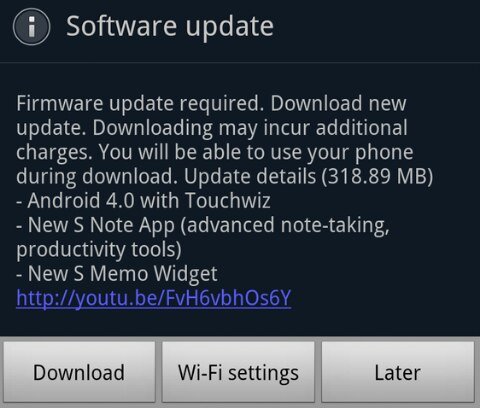
The long-waited Ice Cream Sandwich (aka Android 4.0) is quietly rolled out to unlocked Galaxy Notes. This is firstly reported by Devin Balentina.
It seems only some users in Europe can update now, and none of users in Asia can get it up to now. The size of this update is reported at 318MB. The hyped Premium Suite is included.

Of course, this update is for international version, not the US (AT&T) version.

I will post my hands-on report once my Note get updated.

Did you get the update?

Update 1: The update is only available for Galaxy Note users in Europe up to now (8:50am GMT, May 11).

Update 2: Samsung Mobile Singapore confirmed the ICS update for Singapore Galaxy Note users is still under local testing. So, Singapore Note users have to wait at least a few weeks.

Update 3: Samsung Mobile Hong Kong confirmed the ICS update will be available for Hong Konmg users in May.

Update 4: Update for US (AT&T version) Galaxy Note users has not scheduled, although the leaked ROM seems close to release. But AT&T will decide when to roll it out.

Update 5: ICS update for Galaxy Note has been rolled out in India and Korea today (May 23).

Update 6:  ICS update for Galaxy Note has been rolled out in Singapore today (May 25).

Update 7:  ICS update for Galaxy Note has been rolled out in Malaysia, Hong Kong, Nepal, Bangladesh, Sri Lanka, Taiwan,the Philippines, Thailand, Indonesia and  Vietnam today (May 25)

Update 8: ICS update for Galaxy Note has been rolled out in UK today. (June 1)

Update 9:  ICS update for Galaxy Note has been rolled out in Baltic states,  Czech, Ireland, Russia, Spain and Trinidad and Tobago today. (June 8)

Update 10:  ICS update for Galaxy Note has been rolled out in Kuwait, Morocco, Portugal,  Slovenia,  United Arab Emirates today. (June 13)

Update 11:  ICS update for Galaxy Note has been rolled out in Iran. (June 14)

Update 12.…

Read the full post


Filed Under: Galaxy Note Guides, Galaxy Note News Tagged With: Asia, Europe, firmware, galaxy note, Hong Kong, Ice Cream Sandwich, ics, OS, samsung, Singapore, update

CyanogenMod 9 (Ice Cream Sandwich) for Galaxy Note

By Galaxy Note Leave a Comment · First published on: May 2, 2012 · Last Modified on: September 14, 2013

CyanogenModCyanogenMod is an aftermarket firmware distribution and CyanogenMod 9 is for  Android 4.0 (ICS). Now, there is a mostly workable distribution for Galaxy Note with S Pen support.

According the dedicated  forum thread of CyanogenMod 9 for Galaxy Note in XDA-Developers, almost everything works  except:

  • FM radio (CyanogenMod 9 does not have FM Radio support for any devices)
  • Speakerphone
  • DSP Manager
  • USB On-The-Go (OTG)
  • Mobile High-Definition Link (MHL)

The good thing is the firmware works for both international version of Galaxy Note and the AT&T version.

Of course, CyanogenMod is for geeks and nerds. For most users, we are still waiting for the official ICS update for Galaxy Note due in this quarter (within less than 2 months if Samsung can keep the words.)…

Read the full post


Filed Under: Galaxy Note News, Galaxy Note Stories Tagged With: Android, AT&T, CyanogenMod, firmware, galaxy note, Ice Cream Sandwich, MHL, radio, S Pen, samsung, smartphone, USB OTG

Ice Cream Sandwich for Galaxy Note leaked (for AT&T version)

By Galaxy Note Leave a Comment · First published on: April 5, 2012 · Last Modified on: September 14, 2013

galaxy-note-with-ice-cream-sandwich.jpgYes, about 5 million Galaxy Note users are patiently waiting for the update to the delicious Ice Cream Sandwich (ICS, aka Android 4.0) since last November. Initially, we heard the ICS update will be available together with Galaxy SII  in March. Later, Samsung officially announced the ICS update for Galaxy Note would be pushed to Q2, with Premium Suite specially for Galaxy Note.

Yesterday, another ICS ROM for Galaxy Note was leaked. According to Rootzwiki, the build is for AT &T version, not the international version. It has most functions (e.g., face unlocking) expected in ICS and almost all works flawlessly.

SlashGear/Android Community also put a 5-min video on Youtube:

If you have an AT & T version of Galaxy Note, and want to try the update, you may follow these steps (it may avoid your warranty and may damage your phone!!):

  1.  download the file from RootzWiki site to your Windows PC (it works on Windows PC only)
  2. Connect your Note to PC through USB
  3. Power off and boot to flash mode (press volume down and power buttons simultaneously ), then confirm with volume up
  4. Run the downloaded Odin OneClick file
  5. Follow the instructions to flash your ROM
Anyway, it seems the waiting for ICS on Galaxy Note will be over soon!

 …

Read the full post


Filed Under: Galaxy Note Guides, Galaxy Note News, Galaxy Note Stories, Galaxy Note Videos Tagged With: Android, AT&T, face unlock, galaxy note, Ice Cream Sandwich, ROM, RootzWiki, samsung, update, USB, Windows, youtube

5 million Galaxy Note Users cannot be wrong!

By Galaxy Note 3 Comments · First published on: March 29, 2012 · Last Modified on: September 14, 2013

galaxy-note-shipped-5million-unitsSamsung just announced they shipped 5,000,000 Galaxy Note. 5 months, 5 millions units shipped, it is impressive! Potentially (some are still in the vendors’s warehouse) 5 million users!

For a smartphone, whose 5.3″ size was questions by many reviewerssince its initial release 5 months ago, it is a big success.  5 million buyers proved there is a genuine market for such Phablets. I like the size as written in the Size Always Matters post.

Hope Samsung can maintain the momentum and push out Ice Cream Sandwich update to Galaxy Note earlier.

What’s your opinion?…

Read the full post


Filed Under: Galaxy Note News, Galaxy Note Stories Tagged With: Android, galaxy note, Ice Cream Sandwich, review, ship, size, smartphone, vendor

Ice Cream Sandwich will goes to Galaxy Note in Q2 of 2012

By Galaxy Note 5 Comments · First published on: March 26, 2012 · Last Modified on: September 14, 2013

Samsung-GALAXY-Note-ics-update-android-4In February, we reported that Galaxy Note probably would get the Ice Cream Sandwich (ICS, aka, Android 4.0) update in March (together with Galaxy SII).

Obviously, Samsung missed the target. Galaxy SII users in Europe and some other regions started to receive ICS update about two weeks ago. Nothing for Galaxy Note users.

Last week, Samsung officially pushed the date to Q2. So, your waiting time should vary from one week to one week plus 3 months. Usually, when a phone manufacturer tells in Q2, it usually means June; it seldom means April.

The good news is that Samsung will bundle the S-Pen “Premium Suite” Apps together with your delicious ICS. You may watch the preview video of this  “Premium Suite” on Youtube. It is not so bad, anyway.


 …

Read the full post


Filed Under: Galaxy Note News, Galaxy Note Stories Tagged With: Android, app, Europe, galaxy note, galaxy SII, Ice Cream Sandwich, S Pen, samsung, update

Samsung pink galaxy note hit the market now, for pink nails

By Galaxy Note Leave a Comment · First published on: March 5, 2012 · Last Modified on: September 14, 2013

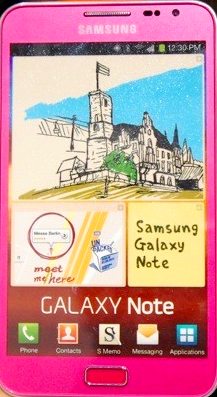
Pink-Samsung-Galaxy-NoteAs speculated in February, pink Galaxy Note will hit the market this month. The day comes.
This  pink version completes the other galaxy notes: carbon blue and ceramic white. There are no changes in specifications except the color. The target consumer are women, just like pink Galaxy Note SII. I don’t think any guys will take this color.

It would have been better if Samsung had started to sell it In the valentine day.

So, geeky ladies, you finally can put your pink nail on this pink note.…

Read the full post


Filed Under: Galaxy Note News, Galaxy Note Stories Tagged With: galaxy note, galaxy SII, samsung, smartphone, tablet, woman

Samsung announced the big brother of Galaxy Note: Galaxy Note 10.1

By Galaxy Note 2 Comments · First published on: February 27, 2012 · Last Modified on: September 14, 2013

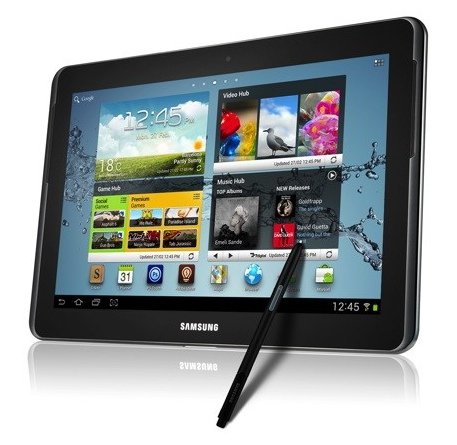
samsung-galaxy-note-10-1For those who complaining the (over)size of Galaxy Note, Samsung listened, and will give you an even bigger Note. It is Galaxy Note 10.1.

With a 10.1″ display, Galaxy Note 10.1 is obviously in the tablet camp. Although it comes with 3G (no LTE) connectivity, you probably will not use it as a phone: you cannot put it in a pocket unless you are a bank robber.

What differs this device from other tablet is its S Pen, and associated software and apps. The press release is lengthy, but the key point is clear: S Pen and the resulted productivity and entertainment.

Comparing this device with smartphone is not relevant. But compared to the 5.3″ Galaxy Note, the major difference is size (about four time larger) and Ice Cream Sandwich (Android 4.0), which will be probably available on Galaxy Note in just a few days.

Finally, we see a really innovative tablet among Android camp, following the revolutionary phone.

If you feel the 5.3” Note is too small, you have a choice now.

If you feel the 5.3″ is too large for a phone, now Samsung makes it larger. Your only option is crawl back to 3.5″, and enjoy the fruity toy.

 …

Read the full post


Filed Under: Galaxy Note News, Galaxy Note Reviews, Galaxy Note Stories Tagged With: 3G, Android, galaxy note, Ice Cream Sandwich, LTE, S Pen, samsung, smartphone, tablet

Is Galaxy Note really too large? size always matters!

By Galaxy Note 1 Comment · First published on: February 23, 2012 · Last Modified on: January 7, 2014

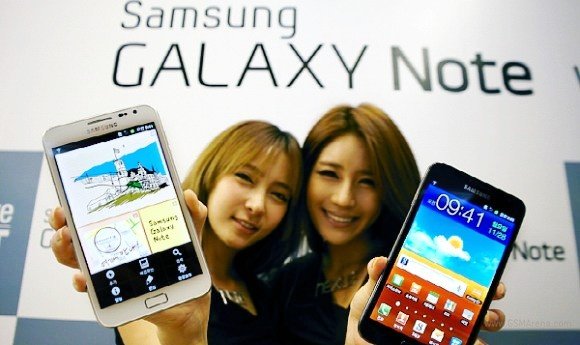
Galaxy-Note-girls

Recently, I read so many reviews complaining on the size of Galaxy Note. The resentments include:  it is too large; the reviewer cannot operate it with one hand; it looks stupid when you hold it near your ear.

Before I talk anything about these reviews, maybe we can watch the a video of Steve Ballmer commenting  iPhone in 2007. In the interview, he actually was laughing at iPhone “Microsoft is selling Millions of millions of millions a year..Apple zero ” Entertaining? Here is the video:

Maybe we can watch another video of this same Steve Ballmer commenting iPad in 2010. Again, he was totally unimpressed by iPad at all. “Laptops actually are well designed for a lot of things.  I notice they are all light.  In fact, if you look around this room, they all weigh zero pounds, because they’re just sitting on the table, you are not holding them and you don’t set them up when you want to type, and they prop up — they have good attributes.”

So, when I read the complaints on the size of Galaxy Note, it reminds me about this M$ guy.

Think out of the box. The reviewers concerning the dimension of galaxy Note are just a bunch of Steve Ballmers.

Why smartphone should be operated by one-hand? You get two hands! You get used to using one hand, because the phones you are using does not need two hands.

When you strain your eyeballs on the 3.5” LCD screen, is it comfortable to get a 5.3″ Super AMOLED?

When you use your fat and dirty finger on the tiny screen (is it for Gorilla?), is it more elegant to use a S-Pen on a larger display?

Why are you so cared about others’ eyes when you hold this phone near your ear? Are you are super star? Are they really care about you? No, for sure.

I like this phone because of its size.

Advice for man: size matters! Full HD, at least!.

Advice for ladies: size really matters! Mirror is bigger, at least.

What do …

Read the full post


Filed Under: Galaxy Note News, Galaxy Note Reviews, Galaxy Note Stories Tagged With: AMOLED, Android, galaxy note, iPad, iPhone, LCD, LED, Microdoft, review, samsung, Steve Ballmer, video, youtube

List of latest Galaxy Note reviews

By Galaxy Note 2 Comments · First published on: February 20, 2012 · Last Modified on: September 14, 2013

As Samsung Galaxy Note is heading to the US market, a lot of reviews for US (AT&T) version of this phone were published last week. Here we compiled a list of such reviews from CNET, PCWorld, engadget, phandroid, Android Community, as well as a negative review (seldom get) from Los Angeles Times.

1. Review from CNET by Jessica Dolcourt

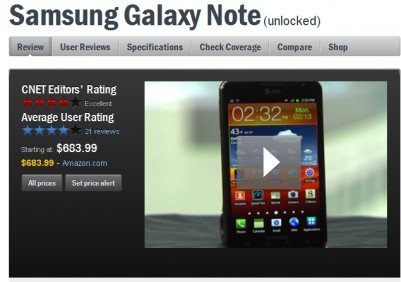
cnet-galaxy-note-reviewGalaxy Note got a quite good review on performance, phone quality, 4G LTE connectivity, 5.3″ display, and the camera. The editor’s major concerns are: 1). the S pen is too small and 2). the size of this device may be awkwardly large for some people to fit into pocket.
So, the conclusion is:

The good: The Samsung Galaxy Note’s 5.3-inch HD screen is ideal for showcasing multimedia. It has 4G LTE, a great 8-megapixel camera, and a souped-up S Pen stylus that brings new ways to interact with your phone.

The bad: The Galaxy Note’s S Pen is small, has a delayed response, and requires a little training to use. The phone will be awkwardly large for some, and it doesn’t fit easily into pockets.

The bottom line: With its huge screen and throwback stylus, the Samsung Galaxy Note is a polarizing smartphone that winks at tablet territory. Those who like their screens XL will find a top-notch device that lets multimedia shine. The S Pen adds some artistic potential, but for some, the phone will just simply be too big.

Read full review here.

2. Review from PCWordl by Ginny Mies

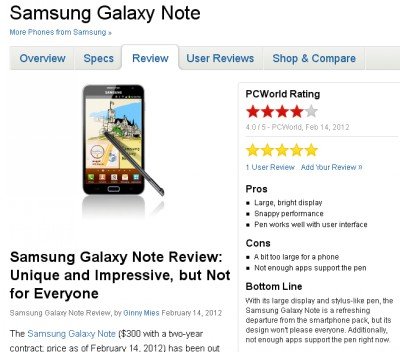
galaxy-note-review-from-pcworldThe review is quite positive. The reviewer dived into some aspects that other reviewers overlooked, e.g., Samsung’s TouchWiz UI, S Memo. The reviewer’s major concern is the lack of apps for S Pen. Spot on. The conclusion is unique and impressive, but not for everyone.


Pros

  • Large, bright display
  • Snappy performance
  • Pen works well with user interface

Cons

  • A bit too large for a phone
  • Not enough apps support the pen

Bottom Line
With its large display and stylus-like pen, the Samsung Galaxy Note is a refreshing departure from the smartphone pack, but its design

…

Read the full post


Filed Under: Galaxy Note Guides, Galaxy Note News, Galaxy Note Reviews Tagged With: Android, Android Community, AT&T, CNET, Engadget, galaxy note, Gingerbread, Ice Cream Sandwich, Los Angeles Times, PCWorld, performance, phandroid, review, S Pen, samsung, US

Galaxy Note (and SII) will receive Ice Cream Sandwich in early March

By Galaxy Note 2 Comments · First published on: February 13, 2012 · Last Modified on: September 14, 2013

Tipster Eldar Murtazin (Editor-in-Chief of Mobile-Review.com) said Android 4.0 (aka Ice Cream Sandwich, ICS) will hit S II in March in a recent tweet.

In November 2011, Samsung confirmed  Ice Cream Sandwich would be coming to its Galaxy S II and Galaxy Note smartphones some time in 2012. In last December, the release date was further narrowed to the first quarter of 2012.

According to the information we received, Samsung is still testing the firmware update on selected handsets in Korea. The roll-out date has been tentatively scheduled in the first week of March through Kies first in Asia, immediately followed by Europe market.

Interested? wait another  two or three weeks.

 …

Read the full post


Filed Under: Galaxy Note News Tagged With: Android, Asia, Europe, formware, galaxy note, galaxy SII, Kies, samsung, smartphone, update

Galaxy Note will land US on Feb. 19

By Galaxy Note 3 Comments · First published on: February 12, 2012 · Last Modified on: September 14, 2013

Finally, US pundits will be able to put their hands on this tablet smartphone on Feb. 19. AT&T is now accepting pre-orders for Galaxy Note, with a price of $299.99 (for 2 year contract) through its online shop.

The major appealing points for US consumers include:

  • 4G LTE network support
  • Dual core 1.5GHz CPU
  • 5.3″ (not 3.5″) Super AMOLED with a resolution of 800*1200 HD

Please note, the US version of Galaxy Note gets 4 capacitive buttons on the device. This is different from the models offered in Europe and Asia, which come with 1 physical home button and two capacitive buttons.

 …

Read the full post


Filed Under: Galaxy Note News Tagged With: 4G, Android, Asia, AT&T, button, cpu, Europe, galaxy note, LED, LTE, samsung, super AMO LED, US

  • « Go to Previous Page
  • Page 1
  • Page 2
  • Page 3

Primary Sidebar

The ultimate collection of narrative humor, organized by location. From the boardroom to the bedroom, never run out of things to say again

Stop Telling Boring One-Liners. Start Telling Unforgettable Stories

Site Search

RSS Android Guides

  • A Complete Guide to Android ADB Wireless Debugging
  • Android 16: the definitive guide on new features and changes
  • Master Android 15 Easter Egg Game: Landroid
  • New Features and Improvements of Android 15
  • Top 14 new features of Android 14

RSS Galaxy S25 Guides

  • All New Features of One UI 8 (Android 16) Update for Galaxy S25, S24, S23, and S22
  • One UI 8 Update Highlights for Galaxy S25, S24, S23, and S22
  • How to manage camera modes on Galaxy S25 (and Galaxy S24, S23, S22, and S21 with One UI 7 update)?
  • How to Use Galaxy S25 Camera App?
  • A Definite Guide to Galaxy S25 Flipsuit Case
  • How to Access and Customize Now Brief on Galaxy S25?
  • Meaning of Galaxy S25 Status Icons and Notification Icons
  • Layout of Galaxy S25, S25+, and S25 Ultra
  • New Galaxy AI features in Galaxy S25, S25+, and S25 Ultra
  • Top 10 new features of Galaxy S25, S25+, and S25 Ultra

RSS Samsung Galaxy S24 Guides@GGO

  • The definitive guide to One UI 7 (Android 15) update for Galaxy S24, S23, S22, and S21
  • The Definitive Guide to Galaxy AI on Galaxy S24, S23, S22, Fold 6, Fold 5, Flip 6, and Flip 5
  • Use the Light Performance Profile to Extend Battery Life and Reduce Heat on Galaxy S24, S23, S22, and S21 (all Samsung Galaxy Phones with Android 14/One UI 6.0)
  • How to adjust lock screen timeout on Galaxy S24, S23, S22, and other Galaxy devices?
  • How to use Circle to Search on Galaxy S24?
  • Meaning of Galaxy S24 status icons and notification icons on Galaxy S24, S24+, and S24 Ultra

RSS Guides for Samsung Galaxy S23

  • Explanation of all One UI 6.1 features for Galaxy S23, S23+, S23 Ultra, and other Galaxy devices
  • How to use One-Tap Editing in the Android 14 (One UI 6) update?
  • How to enable and use Auto Scan to scan documents automatically on Galaxy S23, S22, and S21?
  • New camera features in One UI 6 (Android 14) update for Galaxy S23, S22, and S21

RSS Galaxy S22 Guides

  • A Complete Guide for Android 14 (One UI 6) Update on Samsung Galaxy Devices
  • How to touch and hold to customize Lock Screen on Galaxy S22, S21, and S20 with the Android 13 update?
  • How to use Maintenance Mode on Galaxy S23, S22, S21, and S20 with Android 13 (One UI 5)?

RSS Galaxy S21 Guides

  • Top 12 new features in Android 12 update for Galaxy S21, S20 and S10
  • Android 12 update vs One UI 4.0 vs One UI 4.1: update Galaxy S21, S20 and S10 to Android 12
  • How to set and resize photo size on Samsung Galaxy S21, S20, S10, and S9 without using any third-party apps?

RSS Galaxy S20 Guides

  • The End of the Road: No Android 14 Update for the Galaxy S20
  • How to Use Enhanced Processing on Galaxy S20 with Android 11 update?
  • How to access, use, and customise widgets on Galaxy S20 lock screen and AOD screen with Android 11 update for Galaxy S20?

RSS Galaxy S10 Guides

  • End of security update for Galaxy S10, S10+ and S10e
  • Top 10 new features in Android 10 update for Galaxy S10
  • Top 5 new features added in Galaxy S10 September Update

RSS Galaxy S9 Guides

  • How to use Bixby quick commands on Galaxy S9, S9+, S8, S8+, Note 8, and Note 9 with the Android Pie update?
  • How to remap Bixby button on Galaxy S9 and S9+ after updating to Android Pie?

RSS Headphone Guide Pro

  • Sony WH-1000XM6: the Definitive Guide
  • Galaxy Buds 3 vs Galaxy Buds 3 Pro: What are the differences?
  • History of Galaxy Buds
  • Top 10 new features of Galaxy Buds 3 and Galaxy Buds 3 Pro
  • Samsung Galaxy Buds Guides
  • AirPods and AirPods Pro Guides
  • Bluetooth Codec for Wireless Headphones and Earbuds: Everything You Need to Know

RSS Google Home Guides

  • How to Use Quick Gestures on Nest Hub 2nd Gen and Nest Hub Max?
  • Understand the layout of Nest Hub (including Nest Hub 2nd Gen, Google Home Hub)
  • How to control Nest Audio?
  • Nest Audio Guides
  • Layout of Google Nest Mini (Google Home Mini 2nd Gen)
  • How to connect Google Home to a Bluetooth speaker?

RSS Moto G Guide

  • Stylus features on Moto G Stylus (all models)
  • What’s new in Moto G 2024? Moto G 5G 2024 vs Moto G Power 2024 vs Moto G Play 2024
  • Understand Moto G Model Names
  • Thank You
  • Moto G8 vs Moto G8 Power vs Moto G8 Power Lite vs Moto G Power vs Moto G Stylus vs Moto G Pro vs Moto G fast: What are the differences?

RSS Moto X Phone

  • Welcome on board, Motorola Razr!
  • Official Moto X4 User manual (User guide for Moto X 4th Gen , Moto X 2017)
  • What’s new in Android Marshmallow update for Moto X (Moto X 2015, Moto X 2014, Moto X Style and Moto X Pure edition)?

RSS Moto E Guide

  • How to use SIM cards on Moto E6, E6 Plus, E6 Play, and E6s 2020?
  • Official user manual for Moto E6, Moto E6 Plus, Moto E6 Play, and Moto E6s
  • Moto E6 vs Moto E6 Plus vs Moto E6 Play vs Moto E6s: what are the major differences?

RSS Kindle Fire For Kids Guide

  • Fire Tablet Buyer’s Guide 2025
  • How to use Writing Assist on Fire Tablet?
  • How to use Wallpaper Creator on your Fire tablet?

RSS All About Chromecast

  • How to watch YouTube without ads on Chromecast with Google TV (without YouTube Premium) and on Google TV Streamer?
  • How to use Fast Pair on Chromecast with Google TV to pair headphones and earbuds with Chromecast?
  • How to enable developer options in Chromecast with Google TV and Google TV Streamer?
  • Chromecast 4th Gen (Chromecast with Google TV) is coming!
  • How to use VLC for Android to stream local media to Chromecast?

RSS Galaxy S6 Guide

  • Android Nougat Update Guide for Galaxy S6, Galaxy S6 edge and Galaxy S6 edge+
  • Official Galaxy S6 user manual with Android Nougat update
  • Top 10 new features in Android Marshmallow update for Galaxy S6, Galaxy S6 edge and S6 edge+

RSS Galaxy S7 Guides

  • How to use Galaxy S7 multi window new features in Android Nougat udpate for Galaxy S7 and Galaxy S7 edge?
  • How to customize Galaxy S7 quick setting buttons after Android Nougat update?
  • Galaxy S7 performance mode in Android Nougat update for Galaxy S7 and Galaxy S7 edge

RSS Android Guides

  • A Complete Guide to Android ADB Wireless Debugging
  • Android 16: the definitive guide on new features and changes
  • Master Android 15 Easter Egg Game: Landroid
  • New Features and Improvements of Android 15
  • Top 14 new features of Android 14

Footer

RSS Samsung Galaxy S4

  • Samsung Galaxy S4 Manual for Verizon
  • Galaxy S4 User Manual and Handbook in English

RSS Galaxy S5 Guide

  • How to enter Galaxy S5 recovery mode?
  • How to set Galaxy S5 photo size and video size?
  • How to use Galaxy S5 camera voice control?

RSS Chinese Classical Music

  • How to Cast Chinese Music Radio to Chromecast or Google Home?
  • 十面埋伏 (Ambushed,Pipa,琵琶曲,Shi Mian Mai Fu)
  • Meet in Yurt(敖包相会, Ao Bao Xiang Hui,Folk song,民歌)
  • Purple Bamboo Melody(紫竹调, Zi Zhu Diao,Yangqin,扬琴)

RSS Drive In Singapore

  • Singapore ERP (Electronic Road Pricing): 6 Facts You Need to Know
  • Car Insurance in Singapore Explained
  • Top 5 rules of driving in Singapore safely and legally during COVID-19 Circuit Breaker period
  • Understand COE Price by 10 Simple Questions
  • How to convert a foreign driving license to a Singapore driving license?
  • How to get a Touch ‘n Go card as a Singapore driver?
  • What is covered in the car warranty in Singapore? What is not?
  • What is the Singapore Road Speed Limit?
  • How to register, collect and use Malaysia Vehicle Entry Permit (VEP)?
  • Why are cars in Singapore so expensive?

RSS Neato XV Owners

  • Neato XV Revival Guide: Repair, Hack & Restore (The 2026-2027 Edition)
  • The Scavenger’s Guide: How to Buy “Broken” Neato XVs for $20 (And Fix Them)
  • 3D Print Your Own Spare Parts: The Neato XV STL Guide
  • Stop Guessing: How to Use NeatoControl to “X-Ray” Your Robot
  • The Forbidden Upgrade: Neato Firmware Update to Vorwerk VR100 (Offline Guide)
  • The Vault: Neato XV & Vorwerk VR100 Software Repository
  • Neato Charging Station Blinking Green? The $2 C10 Capacitor Fix
  • Neato Error 3000 Fix: Lidar Motor & Belt Replacement Guide (XV-21, XV-15, XV-13, XV-11)
  • The Battery Dilemma: How to Double Your Neato XV’s Runtime (NiMH vs. Lithium)?
  • Why the “Ancient” Neato XV is Better Than Modern Robots (In 2025 and 2026)

RSS Free Hosting Answers!

  • How to connect to PPTP VPN server from a Windows machine (Windows 7 as an example)
  • How to create a 404 page?

© 2012–2026 · AllAboutGalaxyNote.com is community for Galaxy Note owners! · Hosted by PTRHosting · Powered by Genesis framework for WordPress
Galaxy Note tips, tricks, how-to guides and user manuals for all Galaxy Note devices. S Pen guides and S Note guides.

Disclaimer: Samsung, Galaxy, Galaxy Note, Galaxy NoteII, Galaxy Note 3, Galaxy Note 4, Galaxy Note 5, Galaxy Note 7, Galaxy Note 8, Galaxy Note 9, Galaxy Note 10, Galaxy Note 10.1, Galaxy Note 10.1 2014 edition, Galaxy Note 8.0, Galaxy Note Pro and Galaxy Note Edge are trademarks of Samsung . This website is NOT affiliated with Samsung in any way. All the information provided on this website is provided on an "as is" and "as available" basis and you agree that you use such information entirely at your own risk.

Add Galaxy Note Tips & Tricks to your Homescreen!

Add
We use cookies to give you the best online experience. By using our website you agree to our use of cookies in accordance with our cookie policy.