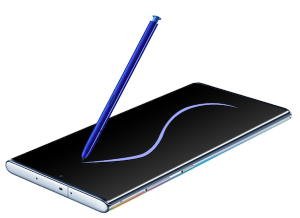
 S Pen is the iconic feature of Galaxy Note devices. The new Galaxy Note 10 S Pen now has some fancy features and can be used as a magic wand (lol).
This Galaxy Note 10 S Pen guide explains everything you need to know about the new S Pen: the layout and new features of the S Pen, how to use S Pen features including Air actions, remote control, Air command, Air View, screen off memo, and how to customize the S Pen settings on Galaxy Note 10.
The S Pen (and S Pen features) is identical on Galaxy Note 10 and Galaxy Note 10+, although the two phones are quite different as explained in this post. So, this guide applies to both Galaxy Note 10 and Galaxy Note 10+. In this post, Galaxy Note 10 refers to both devices.
Layout of the new S Pen on Galaxy Note 10
As shown below, the layout of the new S Pen includes:
- S Pen release button. You need to push the release button inwards to release the S Pen from the S Pen slot. Please note, you need to put the S Pen back into the slot to charge it.
- S Pen button. You need to press this button to access some features, for example, remote control, Air command, and Air view.
- S Pen tip. The tip is replaceable. In the Galaxy Note 10 box, there is a tool (tweezers) and spare tips. You may refer to this guide on how to replace the S Pen tip (identical to that for Galaxy Note 9 S Pen).
- S Pen body. The new S Pen used the unibody design. The battery and sensors are sealed inside the S Pen body.
Both the S Pen and Galaxy Note 10 are water-resistant and dust-resistant.
Although the layout of the S Pen is almost identical to that of the Galaxy Note 9 S Pen, there are some new features of this new S Pen.
What are the new features of Galaxy Note 10 S Pen?
Since Galaxy Note … Read the full post
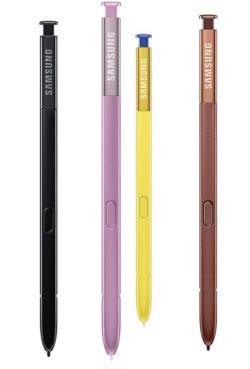
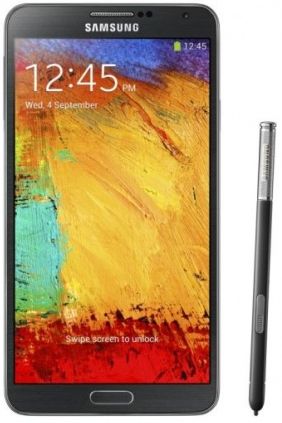 Among the new features in Galaxy Note 3, Air Command probably is the most impressive one. Our beloved S Pen gets a new life in the Note 3.
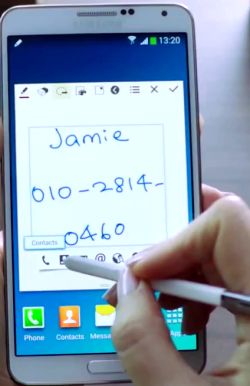 Action Memo allows you to write a note in your Note 3. Yes, this is not new. We got this feature since Note 1. What makes Action Memo differ from our old memos is that it can automatically execute a function or convert the handwritten documents or drawings into formatted content.
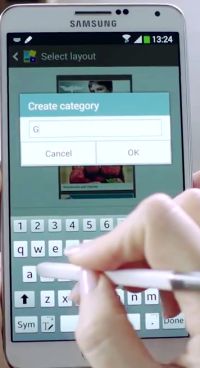 Scrapbook allows users to collect, organize, and track content and information from all sources in one place (Scrapbook).