• Skip to primary navigation
  • Skip to main content
  • Skip to primary sidebar

Galaxy Note Tips & Tricks

  • Note 10
    • Official Samsung Galaxy Note 10 User Manual
    • Unbox Galaxy Note 10: What are included in Galaxy Note 10 Box?
      • How to use the new Galaxy Note 10 S Pen?
      • How to use Galaxy Note 10 Clear View cover (S View cover)?
      • Install S Note app and Extension pack on Galaxy Note 10
      • Galaxy Note 10 LED View Cover Guide and Review
      • How to use the Dynamic Lock screen on Galaxy Note 10?
    • How to charge Galaxy Note 10 battery?
    • How to use Samsung DeX for PC with Galaxy Note 10 and Galaxy Note 10+?
    • Galaxy Note 10 SIM Card Guide
    • How to Use Galaxy Note 10 Camera App?
    • Galaxy Note 10 Layout
      • Where is the Galaxy Note 10 zoom-in mic?
      • How to use and remap Galaxy Note 10 Side key?
    • Galaxy Note 10 review: the death of Galaxy Note
      • Top 10 new features of Galaxy Note 10 and Note 10+ you should try
      • Top 10 missing features of Galaxy Note 10 and Note 10+ you should know before buying
      • Galaxy Note 10 vs Galaxy Note 10+: what are the differences?
  • Note 9
    • Top 9 new features of Galaxy Note 9
    • Official Samsung Galaxy Note 9 user manual
    • How to use Galaxy Note 9 S Pen?
      • How to use S Pen remote control on Galaxy Note 9?
      • How to change Galaxy Note 9 S Pen nib?
  • Note 8
    • Official Samsung Galaxy Note 8 User Manual
    • Top 8 new features of Galaxy Note 8
  • Note 7
    • Samsung Galaxy Note 7 User Manual
    • Galaxy Note 7 Layout
    • Samsung Galaxy Note 7 Specifications
    • Charge Galaxy Note 7 battery
    • Galaxy Note 7 SIM card guide
    • How to disable Galaxy Note 7 Flipboard briefing?
    • How to access and use Galaxy Note 7 notification panel?
    • How to manage and use Galaxy Note 7 quick setting buttons?
    • Galaxy Note 7 home screen guide
      • App folders in Galaxy Note 7 home screen
      • Add, use and manage apps in Galaxy Note 7 home screen
      • Use Galaxy Note 7 screen grid to customize app icon size
    • Meaning of Galaxy Note 7 indicator icons in status bar
  • Note 5
    • Top 12 new features in Galaxy Note 5 Android Nougat udpate
    • Official Samsung Galaxy Note 5 user manuals with Android Nougat update
    • How to take screenshot on Galaxy Note 5 without using any apps?
    • Galaxy Note 5 layout
    • Galaxy Note 5 SIM card guide
    • Charge Galaxy Note 5 battery
    • Everything about Galaxy Note 5 S Pen
    • How to use Galaxy Note 5 screen off memo?
    • Galaxy Note 5 touch screen gestures
    • Galaxy Note 5 home screen
    • How to disable flipboard briefing on Galaxy Note 5?
    • How to use Galaxy Note 5 apps screen?
    • How to use Galaxy Note 5 lock screen?
    • How to use app folders on Galaxy Note 5 home screen?
    • How to use Galaxy Note 5 notification panel?
    • Meaning of Galaxy Note 5 status icons and notification icons
    • How to use Galaxy Note 5 quick settings?
    • Galaxy Note 5 air command
    • How to add app shortcuts to Galaxy Note 5 air command?
    • How to use scroll capture in Galaxy Note 5?
    • How to use Galaxy Note 5 themes?
    • How to unhide and access Galaxy Note 5 developer options? and how to hide Galaxy Note 5 developer options?
    • Galaxy Note 5 case guide
  • Note 4
    • Galaxy Note 4 Camera Guide
      • How to take photos continuously without reviewing the photos on Galaxy Note 4?
      • How to use volume button to take photos in Galaxy Note 4?
      • How to use voice commands to take photos and record videos on Galaxy Note 4?
      • How to manage and download Galaxy Note 4 camera effects?
      • How to set storage location for Galaxy Note 4 camera?
      • How to use Galaxy Note 4 camera burst mode?
      • How to customize Galaxy Note 4 camera app interface (and shortcut menu)?
      • How to set picture size and video size for Galaxy Note 4 camera?
      • How to use Galaxy Note 4 video recording modes?
      • How to manage and download Galaxy Note 4 camera modes?
      • Galaxy Note 4 camera modes user guide
    • How to take a screenshot on Galaxy Note 4?
    • How to turn off/on the touch key light (return and recent) on Galaxy Note 4?
    • How to access Galaxy Note 4 hardware menu button?
    • How to turn off Flipboard briefing on Galaxy Note 4 home screen?
    • How to create app folders on Galaxy Note 4 home screen and app drawer?
    • Galaxy Note 4 case guide
    • How to add widgets to Galaxy Note 4 home screen?
    • How to customize Galaxy Note 4 ringtones?
    • How to use Galaxy Note 4 download booster?
    • How to create own vibration patterns on Galaxy Note 4?
    • How to use Galaxy Note 4 finger scanner?
    • How to silence Galaxy Note 4?
    • How to install S Note idea sketch and easy chart on Galaxy Note 4?
    • Meaning of Galaxy Note 4 status icons and notification icons
    • How to use Samsung keyboard?
    • How to use Galaxy Note 4 side key panel?
    • How to enable and access Galaxy Note 4 air command?
    • How to customize Galaxy Note 4 notification tone?
    • Galaxy Note 4 S View Flip Cover Guide
  • Manual
    • Official Samsung Galaxy Note 10 User Manual
    • Official Samsung Galaxy Note 9 user manual
    • Official Samsung Galaxy Note 8 User Manual
    • Official Samsung Galaxy Note 5 user manuals with Android Nougat update
    • Samsung Galaxy Note 7 User Manual
    • Galaxy Note 5 User Manual
    • Updated Galaxy Note 4 User Manual for Android Lollipop Update
    • Galaxy Note 4 User Guide (Kitkat)
    • User manual for Galaxy Note 3
    • Galaxy Note 3 Customer Consultant Guide
    • Galaxy Note 3 Online User Guide
    • User manual for Galaxy Note II (Note 2)
    • User manual for Galaxy Note (Note 1)
    • User manual for Galaxy Note 10.1
    • User manual for Samsung Galaxy Note 8.0
    • Read Online Manual
      • Read Online User Manual for Galaxy Note 3
      • Read Online User Manual for Galaxy Note II (Note 2)
      • Read Online User Manual for Galaxy Note (Note 1)
      • Read Online User Manual for Galaxy Note 10.1
      • Read Online User Manual for Galaxy Note 8.0
    • User manual for Galaxy Note 10.1 2014 Edition
    • Old User Manual
  • S Note
    • Install S Note app and Extension pack on Galaxy Note 10
    • Everything about Galaxy Note 5 S Pen
    • How to use Galaxy Note 5 screen off memo?
    • How to install S Note idea sketch and easy chart on Galaxy Note 4?
    • S Note Tutorial: how to use productivity tools
    • S Note tutorial: how to change text styles (appearance)
    • Top 10 New features of the New S Note in Galaxy Note 3
    • S Note Survival Guide
    • Tips and Tricks
      • 3 fast ways to create screenshot without using any apps
      • Top 12 new features you should try in Jelly Bean 4.1
      • Screen Mirroring with Galaxy Note 3
      • Who stole my butter? Solving slowness problems in after Jelly Bean update
      • How to solve battery issues after ICS update in your Galaxy Note?
      • Top 10 new features in Galaxy Note after ICS update
      • Top 10 questions on ICS update for your Galaxy Note
  • Home
    • About this community
    • Privacy
    • Contact Us
    • Register
    • Forums

Top 10 new features of Galaxy Note 10 and Note 10+ you should try

By Simon Leave a Comment · First published on: August 11, 2019 · Last Modified on: March 1, 2020

Top 10 new features of Galaxy Note 10 and Note 10+

Although Galaxy Note 10 received a mixed reception, there are many new features of Galaxy Note 10 and Note 10+ you may enjoy. In this post, I will summarize the top 10 new features of Galaxy Note 10 and Note 10+, which are quite impressive and exciting. They include Samsung DeX for PC, updated video editor, native screen recorder, the new S Pen, 25w/45W Superfast charging, 3D scanner (Galaxy Note 10+ only, not released yet), wireless Powershare, AR doodle, zoom-in mic, and the night … [Continue reading] about Top 10 new features of Galaxy Note 10 and Note 10+ you should try


Filed Under: Galaxy Note 10, Galaxy Note Guides, Galaxy Note News, Galaxy Note Reviews Tagged With: 3D scanner, AR doodle, Bluetooth-enabled S Pen, camera modes, charge Galaxy Note 10 battery, DeX for PC, Galaxy Note 10, Galaxy Note 10 new features, missing features of Galaxy Note 10, night camera mode, S Pen, Samsung DeX, screen recorder, superfast charging, video editor, Wireless PowerShare, zoom-in mic

Top 10 missing features of Galaxy Note 10 and Note 10+ you should know before buying

By Simon 4 Comments · First published on: August 9, 2019 · Last Modified on: September 28, 2019

Top 10 missing features of Galaxy Note 10 and Note 10+ you should know before buying

When you decide to upgrade or switch to Galaxy Note 10, you need to know these 10 missing features of Galaxy Note 10 and Note 10+. You may check this page for the top 10 new features of Galaxy Note 10 and Note 10+. For the first time, Samsung announced two models of Galaxy Note line-up: Galaxy Note 10+ and Galaxy Note 10. Galaxy Note 1o+ is a successor of Galaxy Note 9, and Galaxy Note 10 is a stripdown (budget? but still too expensive) version of Galaxy Note 10+. As pointed in this … [Continue reading] about Top 10 missing features of Galaxy Note 10 and Note 10+ you should know before buying

Filed Under: Galaxy Note 10, Galaxy Note News, Galaxy Note Reviews Tagged With: Bixby, edge screen, fingerprint scanner, Galaxy Note 10, galaxy note 10 layout, headphone jack, heart rate sensor, in-display fingerprint sensor, infinity-O-display, iris scanner, micro SD card, missing features of Galaxy Note 10, notification LED, Power button menu, Power key, S Note, S Pen, Samsung Notes

Galaxy Note 10 review: the death of Galaxy Note

Samsung is destroying Galaxy Note with Galaxy Note 10

By Simon 5 Comments · First published on: August 8, 2019 · Last Modified on: September 28, 2019

Galaxy Note 10 review: the death of Galaxy Note

With the official announcement of Galaxy Note 10 (and Note 10+), many long-term Galaxy Note owners are disappointed, although there are many BS articles claiming how innovative and how exciting Galaxy Note 10 is. This is a no BS Galaxy Note 10 review from a long-term Galaxy Note owners who owned every Galaxy Note devices. This Galaxy Note 10 review is an overall review about Galaxy Note 10 and Note 10+ (the difference between Note 10 and Note 10+ can be found here). The detailed review of … [Continue reading] about Galaxy Note 10 review: the death of Galaxy Note

Filed Under: Galaxy Note 10, Galaxy Note Guides, Galaxy Note News, Galaxy Note Reviews Tagged With: Bluetooth-enabled S Pen, edge screen, Galaxy Note 10, Galaxy Note 10 new features, headphone jack, iris scanner, micro SD card, missing features of Galaxy Note 10, S Note, S Pen, Samsung DeX, Samsung Notes

How to change Galaxy Note 9 S Pen nib?

Everything about Galaxy Note 9 S Pen nib (tip)

By Simon 2 Comments · First published on: November 5, 2018 · Last Modified on: September 8, 2019

 Galaxy Note 9 S Pen nib in the Galaxy Note 9 box

Many users are not aware they can try different Galaxy Note 9 S Pen nibs to get different experiences from the S Pen. The spare S Pen nibs and the tool are often neglected by Galaxy Note device owners. It is a waste for many users who feel the S Pen is too sticky or too slippery. This S Pen guide explains the different usages of the spare Galaxy Note 9 S Pen nibs and how to change the nib for Galaxy Note 9 S Pen. Items related to Galaxy Note 9 S Pen nib in the Galaxy Note 9 … [Continue reading] about How to change Galaxy Note 9 S Pen nib?

Filed Under: Galaxu Note 9, Galaxy Note 8, Galaxy Note Guides, S Pen Tagged With: Bluetooth-enabled S Pen, Galaxy Note 8, Galaxy Note 9 new features, S Pen, S Pen button, S Pen nib

How to use S Pen remote control on Galaxy Note 9?

By Simon Leave a Comment · First published on: November 3, 2018 · Last Modified on: September 8, 2019

enable and disable S Pen remote control on Galaxy Note 9

S Pen remote control on Galaxy Note 9 allows you to use the new S Pen to control some apps remotely through a Bluetooth connection. You can even customize the app actions corresponding to the single press (press the S  Pen button once) and double press (press the S Pen button twice). This Galaxy Note 9 S Pen guide explains how to use and customize S Pen remote control on Galaxy Note 9. What is S Pen remote control on Galaxy Note 9? The Galaxy Note 9 S Pen is Bluetooth-enabled. And … [Continue reading] about How to use S Pen remote control on Galaxy Note 9?

Filed Under: Galaxu Note 9, Galaxy Note Guides, S Pen Tagged With: Bluetooth-enabled S Pen, DeX for PC, Gaalxy Note 9, Galaxy Note 9 new features, S Pen, S Pen button, S Pen nib, S Pen remote, S Pen remote control, Samsung DeX, Samsung DeX for PC

How to use Galaxy Note 9 S Pen?

Everything about the Bluetooth enabled Galaxy Note 9 S Pen

By Simon Leave a Comment · First published on: November 1, 2018 · Last Modified on: August 20, 2019

check Galaxy Note 9 S Pen status (charging and connection status)

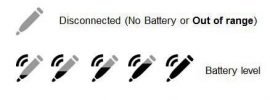
Galaxy Note 9 S Pen is a productivity and content-creation tool for Galaxy Note 9.  It received a major update since its inception 7 years ago with Bluetooth features. You can now use Galaxy Note 9 S Pen as a remote control for several apps, in addition to the traditional S Pen features such as air command and screen-off memo. This Galaxy Note 9 guide explains the new features of this new S  Pen, how to charge Galaxy Note 9 S Pen, and how to check the battery and Bluetooth connection … [Continue reading] about How to use Galaxy Note 9 S Pen?

Filed Under: Galaxu Note 9, Galaxy Note Guides, S Pen Tagged With: Air Command, Bluetooth-enabled S Pen, charge S Pen, Galaxy Note 9, Galaxy Note 9 new features, S Pen, S Pen nib, S Pen remote, S Pen remote control, screen-off memo

Official Samsung Galaxy Note 9 user manual

Get Samsung official user guide for Galaxy Note 9 in your local language

By Simon 5 Comments · First published on: August 27, 2018 · Last Modified on: December 16, 2018

Official Samsung Galaxy Note 9 user manual in the Urdu language (اُردُو‬) for Galaxy Note 9  (Android Oreo 8.1, the Urdu language (اُردُو‬), SM-N960F, Pakistan and India)

The official Samsung Galaxy Note 9 user manual shows you how to use the new features of Galaxy Note 9 in your local language. You may waste hours of time by trying some features in Galaxy Note 9 (e.g., the new Galaxy Note 9 S Pen or S Pen remote). These features and functions are very likely explained or mentioned in these official Samsung Galaxy Note 9 user manuals. We are trying to include all available languages of the official Samsung Galaxy Note 9 user manual in this page, and … [Continue reading] about Official Samsung Galaxy Note 9 user manual

Filed Under: Galaxu Note 9, Galaxy Note Guides, User Manual Tagged With: Galaxy Note 9, Galaxy Note 9 new features, Galaxy Note 9 user guide, Galaxy Note 9 user manual

Top 9 new features of Galaxy Note 9

Should you upgrade to Galaxy Note 9? Is Galaxy Note 9 a right phone for you?

By Simon Leave a Comment · First published on: August 22, 2018 · Last Modified on: November 6, 2018

Top 9 new features of Galaxy Note 9

Samsung unveiled Galaxy Note 9, the 8th generation of Galaxy Note devices, on August 9 (press release).  You will be able to get one in retail stores on August 24. As the latest generation of Galaxy Note devices, you should expect some new features of Galaxy Note 9 in this phablet. This guide will explore the top nine new features of Galaxy Note 9 (compared to Galaxy Note 8) to help you understand the differences and enhancements in Galaxy Note 9. You may check and download the official … [Continue reading] about Top 9 new features of Galaxy Note 9

Filed Under: Galaxu Note 9, Galaxy Note Guides, Galaxy Note News, Galaxy Note Reviews, S Pen Tagged With: Bluetooth-enabled S Pen, DeX cable, dual aperture, Galaxy Note 9, Galaxy Note 9 new features, S Pen, S Pen remote, S Pen remote control, Samsung DeX, screen-off memo

Official Samsung Galaxy Note 8 User Manual

By Simon 15 Comments · First published on: September 24, 2017 · Last Modified on: August 28, 2018

Official Samsung Galaxy Note 10 user manual in the Macedonian language (македонски, makedonski) for Galaxy Note 10 and Galaxy Note 10+ (Android Pie 9, Macedonian language (македонски, makedonski), SM-N970U, SM-N975U, Republic of Macedonia)

Galaxy Note 8 introduced several new features and improvements compared to Galaxy Note 7 and Galaxy Note 5.  You may want to read the official Samsung Galaxy Note 8 user manual to get used to new functions and features, in addition to following Galaxy Note 8 how-to guides. How to use and download  Samsung Galaxy Note 8 User Manual? This post is a collection of the official Samsung Galaxy Note 8 user manual in different languages.  All of these user guides are in PDF format. You can download … [Continue reading] about Official Samsung Galaxy Note 8 User Manual

Filed Under: Galaxy Note 8, User Manual Tagged With: Galaxy Note 8, user guide, user manual

Top 8 new features of Galaxy Note 8

By Simon 3 Comments · First published on: September 13, 2017 · Last Modified on: November 18, 2018

Top 8 new features of Galaxy Note 8

As the successor of the defunct Galaxy Note 7, Galaxy Note 8 (Samsung officially named it as Note8) brings many new features and improvements. These new features of Galaxy Note 8 differentiate Galaxy Note 8 from previous generations of Galaxy Note devices, and also from other Android phones you can buy. Even compared to this year's flagship Galaxy S8 which was launched less than 6 months ago, Galaxy Note 8 offers considerable upgrade and new features. This post summarizes the most notable … [Continue reading] about Top 8 new features of Galaxy Note 8

Filed Under: Galaxy Note 8, Galaxy Note News Tagged With: app paring, dual camera, Galaxy Note 8, Galaxy Note 8 new features, live message, S Pen, Samsung Note

Top 12 new features in Galaxy Note 5 Android Nougat udpate

Android Nougat update for Galaxy Note 5 brings you some useful new features including Grace UI, device maintenance, new multi window, screen zoom, screen resolution adjustment, new camera app, performance mode, data saver mode and many more....

By Simon 16 Comments · First published on: July 1, 2017 · Last Modified on: July 1, 2017

Galaxy Note 5 Android Nougat udpate is the last major update for Galaxy Note 5 in most regions. You may check the the Official Samsung Galaxy Note 5 user manuals with Android Nougat update here. Just like other major Android updates, there are many new features and improvements in  Galaxy Note 5 Android Nougat update.  Some of these new features and improvements are from Android Nougat 7.0; and others are customized by Samsung for their Galaxy devices. This post will summarize the top 12 … [Continue reading] about Top 12 new features in Galaxy Note 5 Android Nougat udpate

Filed Under: Galaxy Note Guides, Galaxy Note News Tagged With: Android Nougat, Galaxy Note 5

How to check whether you have a safe Galaxy Note 7 battery?

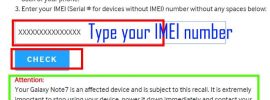
How to know whether your Galaxy Note 7 battery is safe or not? This guide shows you 3 different methods to check whether you get a safe Galaxy Note 7 battery: IMEI number, battery icon in status bar and always-on display, and power button options.

By Simon 1 Comment · First published on: September 26, 2016 · Last Modified on: September 26, 2016

Method 1: use IMEI number to check whether you have a safe Galaxy Note 7 battery

Following the global Galaxy Note 7 recall, in the market, there are two types of Galaxy Note 7 devices: Galaxy Note 7 to be returned (but the owners have not done so) and the safe Galaxy Note 7 devices (with a safe Galaxy Note 7 battery). For your own safety, you should make sure your Galaxy Note 7 now has a safe battery inside. If the battery is not safe, you should return the phone to local Samsung office. Do not risk your safety. This guide shows you various methods to check whether … [Continue reading] about How to check whether you have a safe Galaxy Note 7 battery?

Filed Under: Galaxy Note Guides, Galaxy Note News

Questions and Answers on Galaxy Note 7 Recall

Everything you need to know about Galaxy Note 7 recall due to potential battery quality issues.

By Simon Leave a Comment · First published on: September 2, 2016 · Last Modified on: September 3, 2016

Questions and Answers on Galaxy Note 7 Recall

Note: I compiled the following info for our Galaxy Note device community.  If you need official answers on Galaxy Note 7 recall, please check local Samsung service center. Today (September 2, 2016), Samsung announced globally (excluding China) voluntary recall for Galaxy Note 7 due to possible battery quality issues in some phones. The official statement can be found here and quoted below. Samsung is committed to producing the highest quality products and we take every incident report … [Continue reading] about Questions and Answers on Galaxy Note 7 Recall

Filed Under: Galaxy Note News

Galaxy Note 7 New Features

Top 7 Galaxy Note 7 features: iris scanner, water resistant, SD card support, bigger battery, new S Pen tricks, USB Type-C and curved screen.

By Simon 2 Comments · First published on: August 24, 2016 · Last Modified on: August 24, 2016

Galaxy Note 7 New Features

Like it or not, Galaxy Note 7 will be one of the best selling smartphones in 2016. Although Galaxy Note 7 have almost identical hardware specs as Galaxy S7 edge (except S Pen and iris scanner), Galaxy Note 7 is a major udpate for Galaxy Note 5. As explained in Galaxy Note 7 specs post, Galaxy Note 7 is a major update for Galaxy Note 5, not for Galaxy S7 (or S7 edge). In this post, let's explore top 7  Galaxy Note 7 new features . These top 7 new features in Galaxy Note 7 makes the … [Continue reading] about Galaxy Note 7 New Features

Filed Under: Galaxy Note Guides, Galaxy Note News, Galaxy Note Reviews

Samsung Galaxy Note 7 Specifications

Hardware and software specifications of Galaxy Note 7. Official infographic of Galaxy Note 7 specifications vs Galaxy Note 5.

By Simon 6 Comments · First published on: August 3, 2016 · Last Modified on: August 20, 2016

Official infographic of Galaxy Note 7 specifications vs Galaxy Note 5

Update 1: Samsung Galaxy Note 7 user manuals in more than 40 languages are available for download. Update 2: Galaxy Note 7 guides page is alive. You can check detailed Galaxy Note 7 how-to guides here. On August 2,2016, Samsung announced the 6th generation of Galaxy Note phones: Galaxy Note 7 (they skipped Galaxy Note 6 to match generation numbers of Galaxy S series). Samsung Galaxy Note 7 Specifications indicate this is an update for Galaxy Note 5. It is NOT targeted for Galaxy S7 0r … [Continue reading] about Samsung Galaxy Note 7 Specifications

Filed Under: Galaxy Note News

Top 5 defects of Galaxy Note 5

Galaxy Note 5 vs Galaxy Note 4: what are the missing features? No Micro SD card support, non-removable battery, no IR blaster, smaller battery, and missing Lollipop features.

By Simon 13 Comments · First published on: August 17, 2015 · Last Modified on: August 26, 2015

Top_5_defects_of_Galaxy_Note_5

Update 1: Galaxy Note 5 S Pen is another design defect.  If you accidentally insert the Galaxy Note 5 S Pen in wrong direction, Galaxy Note 5 will not be able to detect whether the S Pen is in the slot or not. There are no solutions except visiting service center. Please rad this page for details. As detailed in this post, Galaxy Note 5 comes with some new or improved features, for example, new design with curved glass back, fast wireless charging, improved S pen features, improved camera, more … [Continue reading] about Top 5 defects of Galaxy Note 5

Filed Under: Galaxy Note Guides, Galaxy Note News, Galaxy Note Reviews

  • « Go to Previous Page
  • Go to page 1
  • Go to page 2
  • Go to page 3
  • Go to page 4
  • Go to page 5
  • Go to Next Page »

Primary Sidebar

Site Search

Galaxy Note Tips Newsletter

RSS Galaxy S20 Guides

  • How to use Galaxy S20 recovery mode?
  • How to use 5 different shooting methods for Galaxy S20 camera?
  • How to use and customize power mode on Galaxy S20?
  • A Complete Guide Of Galaxy S20 Assistant Menu
  • How to manage location services on Galaxy S20 to protect your privacy?
  • How to manage home screen panels on Galaxy S20?
  • How to use Do Not Disturb on Samsung Galaxy S20?
  • How to use SanDisk Ultra Dual Drive USB Type-C on Galaxy S20, S10, S9 and S8?
  • How to customize Galaxy S20 ringtone quickly without using any third-party apps?
  • How to use, manage and master Galaxy S20 camera modes?

RSS Galaxy S10 Guides

  • Top 10 new features in Android 10 update for Galaxy S10
  • Top 5 new features added in Galaxy S10 September Update
  • How to move apps to the micro SD card to free phone storage on Galaxy S10 ?
  • Galaxy S10 wireless charging guide
  • How to use app folders on Galaxy S10 Home screen and Apps screen?
  • How to enable and use Galaxy S10 developer options?

RSS Galaxy S9 Guides

  • How to lock Galaxy S9 home screen layout on Galaxy S9 and S9+ with Android Pie update?
  • How to use the new Recents screen in Android Pie update for Galaxy S9 and S9 Plus?
  • Galaxy S9 Android Pie update guides
  • How to use Samsung DeX Station for Galaxy S9, S9+, S8, S8+, Note 8 and Note 9?
  • How to use adapt sound on Galaxy S9 and S9+?
  • How to pin files to Galaxy S9 Home screen (add file shortcuts to Galaxy S9 Home screen)?
  • How to back up Galaxy S9 and S9+?
  • How to use micro SD card on Galaxy S9 and S9+?
  • How to use Galaxy S9 dual messenger to run two accounts of messenger apps simultaneously on Galaxy S9 and S9+?
  • How to reboot Galaxy S9 and S9+ if Galaxy S9 hangs?

RSS Headphone Guide Pro

  • Samsung Galaxy Buds Live vs Samsung Galaxy Buds Plus vs Apple AirPods Pro
  • A Complete Guide for Jabra Elite Sport
  • 5 best new features and improvements of Galaxy Buds Plus (Galaxy Buds+ vs Galaxy Buds)
  • Top 10 new features of AirPods Pro (vs AirPods 2)
  • How to use Samsung Galaxy Buds and Galaxy Buds+?
  • What is active noise canceling (ANC)? How active noise-cancelling headphone works?

RSS Google Home Guides

  • Nest Audio vs Google Home: new features and improvements
  • How to create and use Google Home speaker pair (stereo pairing)?
  • Layout of Google Nest Mini (Google Home Mini 2nd Gen)
  • Google Nest Mini vs Home Mini: what’s new and what’s not changed?
  • Meaning of Google Home Mini LED lights and Google Home Max LED lights
  • How to adjust alarm volume and timer volume in Google Home, Google Home Mini and Google Home Max?
  • How to reset Google Home Mini?
  • Google Home Mini vs Google Home

RSS Android Guides

  • How to use native screen recorder in Android 11?
  • How to use dark theme scheduling in Android 11?
  • How to play Android 11 Easter Egg game (Android Neko Cat game)?
  • How To Use Live Caption in Android 10 and Android 11
  • Android 11 Guides
  • Top 11 new features of Android 11
  • How to share Wi-Fi using QR codes in Android 10?
  • How to use navigation gestures in Android 10?
  • How to Use Location Access Control in Android 10?
  • Android 10 Guides

RSS Galaxy S8 Guides

  • How to use the new features in Android Pie update for Galaxy S8 and S8+?
  • How to use app shortcuts in Galaxy S8 Home screen in Android Oreo update for Galaxy S8 and S8+?
  • Use notification dots/notification number badge in Galaxy S8 Android Oreo update
  • How to Install Galaxy S8 Android Oreo Update for Galaxy S8 and S8+?
  • New status icons in Android Oreo update for Galaxy S8 and S8+

RSS Galaxy S5 Guide

  • How to access and use Galaxy S5 quick settings panel?
  • How to boot Galaxy S5 into safe mode?
  • How to silence Galaxy S5?

RSS Moto G Guide

  • Moto G8 vs Moto G8 Power vs Moto G8 Power Lite vs Moto G Power vs Moto G Stylus vs Moto G Pro vs Moto G fast: What are the differences?
  • Moto G8 User Manual for Moto G8 Plus and Moto G8 Play
  • Moto G8 Plus vs Moto G8 Play: Differences and common features
  • Official Moto G7 user manual
  • Moto G7 vs Moto G7 Play vs Moto G7 Plus vs Moto G7 Power: what are the differences?

RSS Moto X Phone

  • Official Moto X4 User manual (User guide for Moto X 4th Gen , Moto X 2017)
  • What’s new in Android Marshmallow update for Moto X (Moto X 2015, Moto X 2014, Moto X Style and Moto X Pure edition)?
  • Top 5 new features in Moto X 2015 (Moto X Style, Moto X Pure edition and Moto X Play) vs Moto X 2014

RSS Moto E Guide

  • How to use Moto E6 camera?
  • How to use SIM cards on Moto E6, E6 Plus, E6 Play, and E6s 2020?
  • How to remove Moto E6 back cover (including Moto E6, Moto E6 Plus, Moto E6 Play)?

RSS Kindle Fire For Kids Guide

  • The ultimate guide of USB-C fast charging on Fire HD 10 2019, Fire HD 8 2020, and Fire HD 8 Plus
  • Fire HD 8 Plus (2020) vs Fire HD 8 2020 (10th Gen) vs Fire HD 8 2018 (8th Gen)
  • How to use the micro SD card on Fire HD 10 2019 (9th Gen), Fire HD 8 (8th and 10th Gen) and Fire 7 (9th Gen)?

RSS All About Chromecast

  • How to use Chromecast Ultra to stream 4K contents?
  • How to use Chromecast Audio multi-room group playback?
  • How to setup Chromecast Audio?

RSS Galaxy S6 Guide

  • Official user manual for Galaxy S6 edge and Galaxy S6 edge+ with Android Nougat update
  • how to use widgets in Galaxy S6 and Galaxy S6 edge?
  • Changes on waiting time for wrong input on Galaxy S6 lock screen in Android Marshmallow update

RSS Samsung Galaxy S4

  • Air Gesture
  • Part I. Get Started
  • Site Search

RSS Galaxy S7 Guides

  • How to customize Galaxy S7 quick setting buttons after Android Nougat update?
  • How to show brightness control above notification panel in Android Nougat update for Galaxy S7 and Galaxy S7 edge?
  • How to change screen resolution of Galaxy S7 and S7 after Android Nougat update?
  • Galaxy S7 and Galaxy S7 edge Android Nougat update guide
  • How to review photos before saving to Galaxy S7 and S7 edge?

RSS Drive In Singapore

  • Top 5 rules of driving in Singapore safely and legally during COVID-19 Circuit Breaker period
  • Understand COE Price by 10 Simple Questions
  • How to convert a foreign driving license to a Singapore driving license?
  • How to get a Touch ‘n Go card as a Singapore driver?
  • What is covered in the car warranty in Singapore? What is not?
  • What is the Singapore Road Speed Limit?
  • How to register, collect and use Malaysia Vehicle Entry Permit (VEP)?
  • Why are cars in Singapore are so expensive?
  • Drive to Malaysia
  • Car Maintenance and Servicing in Singapore

© 2012–2020 · AllAboutGalaxyNote.com is community for Galaxy Note owners! · Hosted by PTRHosting · Powered by Genesis framework for WordPress
Galaxy Note tips, tricks, how-to guides and user manuals for all Galaxy Note devices. S Pen guides and S Note guides.

Disclaimer: Samsung, Galaxy, Galaxy Note, Galaxy NoteII, Galaxy Note 3, Galaxy Note 4, Galaxy Note 5, Galaxy Note 7, Galaxy Note 8, Galaxy Note 9, Galaxy Note 10, Galaxy Note 10.1, Galaxy Note 10.1 2014 edition, Galaxy Note 8.0, Galaxy Note Pro and Galaxy Note Edge are trademarks of Samsung . This website is NOT affiliated with Samsung in any way. All the information provided on this website is provided on an "as is" and "as available" basis and you agree that you use such information entirely at your own risk.

Add Galaxy Note Tips & Tricks to your Homescreen!

Add
We use cookies to give you the best online experience. By using our website you agree to our use of cookies in accordance with our cookie policy.OKRead more