• Skip to primary navigation
  • Skip to main content
  • Skip to primary sidebar
  • Skip to footer

Galaxy Note Tips & Tricks

  • Note 10
    • Official Samsung Galaxy Note 10 User Manual
    • Unbox Galaxy Note 10: What are included in Galaxy Note 10 Box?
      • How to use the new Galaxy Note 10 S Pen?
      • How to use Galaxy Note 10 Clear View cover (S View cover)?
      • Install S Note app and Extension pack on Galaxy Note 10
      • Galaxy Note 10 LED View Cover Guide and Review
      • How to use the Dynamic Lock screen on Galaxy Note 10?
    • How to charge Galaxy Note 10 battery?
    • How to use Samsung DeX for PC with Galaxy Note 10 and Galaxy Note 10+?
    • Galaxy Note 10 SIM Card Guide
    • How to Use Galaxy Note 10 Camera App?
    • Galaxy Note 10 Layout
      • Where is the Galaxy Note 10 zoom-in mic?
      • How to use and remap Galaxy Note 10 Side key?
    • Galaxy Note 10 review: the death of Galaxy Note
      • Top 10 new features of Galaxy Note 10 and Note 10+ you should try
      • Top 10 missing features of Galaxy Note 10 and Note 10+ you should know before buying
      • Galaxy Note 10 vs Galaxy Note 10+: what are the differences?
  • Note 9
    • Top 9 new features of Galaxy Note 9
    • Official Samsung Galaxy Note 9 user manual
    • How to use Galaxy Note 9 S Pen?
      • How to use S Pen remote control on Galaxy Note 9?
      • How to change Galaxy Note 9 S Pen nib?
  • Note 8
    • Official Samsung Galaxy Note 8 User Manual
    • Top 8 new features of Galaxy Note 8
  • Note 7
    • Samsung Galaxy Note 7 User Manual
    • Galaxy Note 7 Layout
    • Samsung Galaxy Note 7 Specifications
    • Charge Galaxy Note 7 battery
    • Galaxy Note 7 SIM card guide
    • How to disable Galaxy Note 7 Flipboard briefing?
    • How to access and use Galaxy Note 7 notification panel?
    • How to manage and use Galaxy Note 7 quick setting buttons?
    • Galaxy Note 7 home screen guide
      • App folders in Galaxy Note 7 home screen
      • Add, use and manage apps in Galaxy Note 7 home screen
      • Use Galaxy Note 7 screen grid to customize app icon size
    • Meaning of Galaxy Note 7 indicator icons in status bar
  • Note 5
    • Top 12 new features in Galaxy Note 5 Android Nougat udpate
    • Official Samsung Galaxy Note 5 user manuals with Android Nougat update
    • How to take screenshot on Galaxy Note 5 without using any apps?
    • Galaxy Note 5 layout
    • Galaxy Note 5 SIM card guide
    • Charge Galaxy Note 5 battery
    • Everything about Galaxy Note 5 S Pen
    • How to use Galaxy Note 5 screen off memo?
    • Galaxy Note 5 touch screen gestures
    • Galaxy Note 5 home screen
    • How to disable flipboard briefing on Galaxy Note 5?
    • How to use Galaxy Note 5 apps screen?
    • How to use Galaxy Note 5 lock screen?
    • How to use app folders on Galaxy Note 5 home screen?
    • How to use Galaxy Note 5 notification panel?
    • Meaning of Galaxy Note 5 status icons and notification icons
    • How to use Galaxy Note 5 quick settings?
    • Galaxy Note 5 air command
    • How to add app shortcuts to Galaxy Note 5 air command?
    • How to use scroll capture in Galaxy Note 5?
    • How to use Galaxy Note 5 themes?
    • How to unhide and access Galaxy Note 5 developer options? and how to hide Galaxy Note 5 developer options?
    • Galaxy Note 5 case guide
  • Note 4
    • Galaxy Note 4 Camera Guide
      • How to take photos continuously without reviewing the photos on Galaxy Note 4?
      • How to use volume button to take photos in Galaxy Note 4?
      • How to use voice commands to take photos and record videos on Galaxy Note 4?
      • How to manage and download Galaxy Note 4 camera effects?
      • How to set storage location for Galaxy Note 4 camera?
      • How to use Galaxy Note 4 camera burst mode?
      • How to customize Galaxy Note 4 camera app interface (and shortcut menu)?
      • How to set picture size and video size for Galaxy Note 4 camera?
      • How to use Galaxy Note 4 video recording modes?
      • How to manage and download Galaxy Note 4 camera modes?
      • Galaxy Note 4 camera modes user guide
    • How to take a screenshot on Galaxy Note 4?
    • How to turn off/on the touch key light (return and recent) on Galaxy Note 4?
    • How to access Galaxy Note 4 hardware menu button?
    • How to turn off Flipboard briefing on Galaxy Note 4 home screen?
    • How to create app folders on Galaxy Note 4 home screen and app drawer?
    • Galaxy Note 4 case guide
    • How to add widgets to Galaxy Note 4 home screen?
    • How to customize Galaxy Note 4 ringtones?
    • How to use Galaxy Note 4 download booster?
    • How to create own vibration patterns on Galaxy Note 4?
    • How to use Galaxy Note 4 finger scanner?
    • How to silence Galaxy Note 4?
    • How to install S Note idea sketch and easy chart on Galaxy Note 4?
    • Meaning of Galaxy Note 4 status icons and notification icons
    • How to use Samsung keyboard?
    • How to use Galaxy Note 4 side key panel?
    • How to enable and access Galaxy Note 4 air command?
    • How to customize Galaxy Note 4 notification tone?
    • Galaxy Note 4 S View Flip Cover Guide
  • Manual
    • Official Samsung Galaxy Note 10 User Manual
    • Official Samsung Galaxy Note 9 user manual
    • Official Samsung Galaxy Note 8 User Manual
    • Official Samsung Galaxy Note 5 user manuals with Android Nougat update
    • Samsung Galaxy Note 7 User Manual
    • Galaxy Note 5 User Manual
    • Updated Galaxy Note 4 User Manual for Android Lollipop Update
    • Galaxy Note 4 User Guide (Kitkat)
    • User manual for Galaxy Note 3
    • Galaxy Note 3 Customer Consultant Guide
    • Galaxy Note 3 Online User Guide
    • User manual for Galaxy Note II (Note 2)
    • User manual for Galaxy Note (Note 1)
    • User manual for Galaxy Note 10.1
    • User manual for Samsung Galaxy Note 8.0
    • Read Online Manual
      • Read Online User Manual for Galaxy Note 3
      • Read Online User Manual for Galaxy Note II (Note 2)
      • Read Online User Manual for Galaxy Note (Note 1)
      • Read Online User Manual for Galaxy Note 10.1
      • Read Online User Manual for Galaxy Note 8.0
    • User manual for Galaxy Note 10.1 2014 Edition
    • Old User Manual
  • S Note
    • Install S Note app and Extension pack on Galaxy Note 10
    • Everything about Galaxy Note 5 S Pen
    • How to use Galaxy Note 5 screen off memo?
    • How to install S Note idea sketch and easy chart on Galaxy Note 4?
    • S Note Tutorial: how to use productivity tools
    • S Note tutorial: how to change text styles (appearance)
    • Top 10 New features of the New S Note in Galaxy Note 3
    • S Note Survival Guide
    • Tips and Tricks
      • 3 fast ways to create screenshot without using any apps
      • Top 12 new features you should try in Jelly Bean 4.1
      • Screen Mirroring with Galaxy Note 3
      • Who stole my butter? Solving slowness problems in after Jelly Bean update
      • How to solve battery issues after ICS update in your Galaxy Note?
      • Top 10 new features in Galaxy Note after ICS update
      • Top 10 questions on ICS update for your Galaxy Note
  • Home
    • About this community
    • Privacy
    • Contact Us
    • Register
    • Forums

Galaxy Note 4

Top 5 Galaxy Note 4 Defects

By Simon 21 Comments · First published on: October 12, 2014 · Last Modified on: October 12, 2014

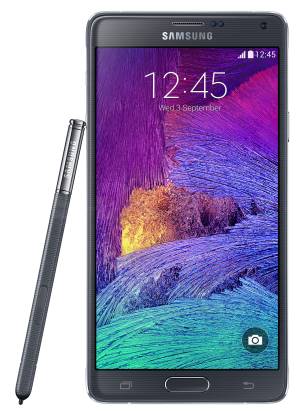
Samsung-Galaxy-Note-4-defectsGalaxy Note 4 is one of the best smartphones in 2014. There are still no no real rivals for the unique and promising S Pen (stylus) in the smartphone market.  iPhone 6 Plus can only compete in size and bulkiness.

However, after using Galaxy Note 4 a few days, I realized several obvious Galaxy Note 4 defects.  Most of them actually should have not been presented  in such a successful product of its 4th generation.

These defects  reflect the confusion and lack of confidence in the positioning of Galaxy Note devices.

Galaxy Note 4 Defect  #1:  downgrading the support from USB 3.0 to USB 2.0

Samsung showed its leading position in Android market by introducing USB 3.o support in Galaxy Note 3 and Galaxy S5.

USB 3.0 is not a new technology. You can find the blue USB ports in most PC and laptops today.  Most of external drives are also using USB 3.0.

USB 3.0 provides not only faster file transfer speed (theoretically 5 Gbit/s compared to 480Mbit/s for USB 2.0), but also the stability.   Although most devices cannot reach the theoretical transfer rate, the file transfer is always faster with USB 3.0 than that with USB 2.0.

Another issue many smartphone users may experience is the “not responding” message when you try to  transfer a large quantity of photos from your phone to the PC through a USB cable. With USB 3.0, this should seldom happen.

Galaxy Note 3 probably is the first Android phone with USB 3.0 support.  File transfer with PC is really fast if you choose USB 3.0 option.

Galaxy S5 also supports USB 3.0. But interestingly, in the package, Samsung gives a USB 2.0 cable. As USB 3.0 is backward compatible with USB 2.0, you can use the USB 2.0 cable (utilizing the larger half of the USB 3.0 port) on Galaxy S5 to enjoy USB 2.0. Of course, if you want to get the benefits of USB 3.o, you have to get a USB 3.0 cable.

This puzzled a lot of people. However, the reason is very simple: to save cost. USB 3.0 …

Read the full post

Filed Under: Galaxy Note Guides, Galaxy Note News, Galaxy Note Reviews Tagged With: Galaxy Note 4

Galaxy Note 4 vs Galaxy Note 3, What’s new in Galaxy Note 4?

By Simon 8 Comments · First published on: September 8, 2014 · Last Modified on: October 2, 2014

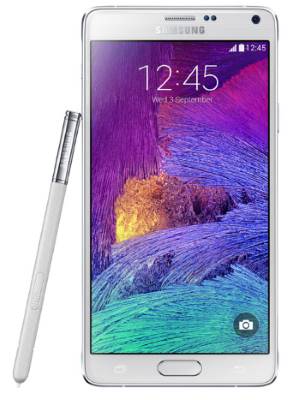
galaxy_note_4_vs_galaxy_note_3Galaxy Note 4 was finally announced on September 3, 2014.  Samsung will very likely start to ship Galaxy Note 4 as early as the 4th week this September in selected regions, although in the event, October was confirmed for global release of Note 4. In most other regions, you will be able to get Galaxy Note 4 in October.

So, before deciding whether you should get the Galaxy Note 4, let’s compare Galaxy Note 3 vs Galaxy Note 4 to find out what the new features/improvements are.

Update: Galaxy Note 4 User Guide is available here.

1.  Galaxy Note 4 vs Galaxy Note 3:  Quad HD  display

Rumors always are trustworthy in tech world. As stated in the  Galaxy note 4 specification rumors post, Galaxy Note 4 comes with QHD (Quad HD,  2560*1240). This is a major upgrade from Galaxy Note 3’s full HD (1920*1080) display.

The size of the screen is almost identical to Galaxy Note 3: about 5.7″.   So, the resolution of 2560* 1440 display gives you  a whopping 515 ppi.

Of course, the screen is super AMOLED, the standard display in Samsung flagship phones. This is same as Galaxy Note 3.  But Samsung got one year time to further improve and polish the technology, especially in color accuracy.

2.  Galaxy Note 4 vs Galaxy Note 3:  New S Pen has 2048 pressure levels

If you don’t use S Pen, you are wasting half of your Galaxy  Note devices. Plain and simple.

The new S Pen in Galaxy Note 4 now has 2048 pressure levels, which are sufficient t for 99% artistic jobs. As a comparison, Galaxy Note 3 got a 1024 pressure-level S Pen, which is decent for most designer jobs.

3. Galaxy Note 4 vs Galaxy Note 3:  Smart Select with S Pen

Samsung introduced so many “smart” features in the past and most of them are useless or half-baked. In recent release of Galaxy Note 3 and Galaxy S5, Samsung learned the lessons  and tried to  polish the features when releasing them.

One of the two smart features in Galaxy Note …

Read the full post


Filed Under: Galaxy Note Guides, Galaxy Note News, Galaxy Note Reviews Tagged With: Galaxy Note 3, Galaxy Note 4

Galaxy Note 4 specifications (and rumors) and release date

By Simon Leave a Comment · First published on: August 11, 2014 · Last Modified on: August 10, 2014

samsung-galaxy-note-4-specificationsThere is no doubt  Samsung will announce the Galaxy Note 4  on September 3, 2 days before IFA 2014.

This is the tradition of announcing Galaxy Note phones. Galaxy Note was announced in IFA 2011, Galaxy Note 2 in IFA 2012, Galaxy Note 3 in IFA 2013.

But what are the specifications of Galaxy Note 4 and when will you get it?

Galaxy Note 4 Release date

Smartphone usually is announced or launched (it is usually demoed as well in the event) before the release date. So, on September 3, you may have the chance to “see” Galaxy Note 4, but you surely cannot buy it.

Because many of us  may be eager to know when we can get the device (so does the competitors),  Galaxy Note 4 release date is another top secret of Samsung.

Based on Samsung’s track record, most Galaxy S and Galaxy Note smartphones are released about one month after they are announced.

Because Apple will announce its iPhone 6 on September 9, the release date for iPhone 6 will be very likely within 3  weeks from September 9. Samsung may try to release the Galaxy Note 4 in the similar period to gain the momentum.

So,  Galaxy Note 4 release date will be very likely in late September/early October.

Galaxy Note 4 specifications

Specification is not everything. But specification is still the most talked topic for any smartphones.

Galaxy Note 4 has some awesome specifications if the rumor and early leak can be trusted. In tech world, yes, the rumors usually turn out to be the truth.

Let’s tear down the Galaxy Note 4 specifications based on early leaks and rumors.

Galaxy Note 4 specifications: CPU – Snapdragon 801 or Snapdragon 805?

Snapdragon 805 is currently the most powerful processor or smartphone and tablet.  This processor currently can only be found in Galaxy S5 LTE-A and LG G3 LTE-A for Korea market.  So, very likely, Galaxy Note 4 will be the first mobile device equipped with this processor outside of Korea.

So far, almost all benchmarks shown the impressive performance of Snapdragon …

Read the full post


Filed Under: Galaxy Note News, Galaxy Note Reviews Tagged With: Galaxy Note 4, Galaxy Note 4 specifications

Primary Sidebar

The ultimate collection of narrative humor, organized by location. From the boardroom to the bedroom, never run out of things to say again

Stop Telling Boring One-Liners. Start Telling Unforgettable Stories

Site Search

RSS Android Guides

  • A Complete Guide to Android ADB Wireless Debugging
  • Android 16: the definitive guide on new features and changes
  • Master Android 15 Easter Egg Game: Landroid
  • New Features and Improvements of Android 15
  • Top 14 new features of Android 14

RSS Galaxy S25 Guides

  • All New Features of One UI 8 (Android 16) Update for Galaxy S25, S24, S23, and S22
  • One UI 8 Update Highlights for Galaxy S25, S24, S23, and S22
  • How to manage camera modes on Galaxy S25 (and Galaxy S24, S23, S22, and S21 with One UI 7 update)?
  • How to Use Galaxy S25 Camera App?
  • A Definite Guide to Galaxy S25 Flipsuit Case
  • How to Access and Customize Now Brief on Galaxy S25?
  • Meaning of Galaxy S25 Status Icons and Notification Icons
  • Layout of Galaxy S25, S25+, and S25 Ultra
  • New Galaxy AI features in Galaxy S25, S25+, and S25 Ultra
  • Top 10 new features of Galaxy S25, S25+, and S25 Ultra

RSS Samsung Galaxy S24 Guides@GGO

  • The definitive guide to One UI 7 (Android 15) update for Galaxy S24, S23, S22, and S21
  • The Definitive Guide to Galaxy AI on Galaxy S24, S23, S22, Fold 6, Fold 5, Flip 6, and Flip 5
  • Use the Light Performance Profile to Extend Battery Life and Reduce Heat on Galaxy S24, S23, S22, and S21 (all Samsung Galaxy Phones with Android 14/One UI 6.0)
  • How to adjust lock screen timeout on Galaxy S24, S23, S22, and other Galaxy devices?
  • How to use Circle to Search on Galaxy S24?
  • Meaning of Galaxy S24 status icons and notification icons on Galaxy S24, S24+, and S24 Ultra

RSS Guides for Samsung Galaxy S23

  • Explanation of all One UI 6.1 features for Galaxy S23, S23+, S23 Ultra, and other Galaxy devices
  • How to use One-Tap Editing in the Android 14 (One UI 6) update?
  • How to enable and use Auto Scan to scan documents automatically on Galaxy S23, S22, and S21?
  • New camera features in One UI 6 (Android 14) update for Galaxy S23, S22, and S21

RSS Galaxy S22 Guides

  • A Complete Guide for Android 14 (One UI 6) Update on Samsung Galaxy Devices
  • How to touch and hold to customize Lock Screen on Galaxy S22, S21, and S20 with the Android 13 update?
  • How to use Maintenance Mode on Galaxy S23, S22, S21, and S20 with Android 13 (One UI 5)?

RSS Galaxy S21 Guides

  • Top 12 new features in Android 12 update for Galaxy S21, S20 and S10
  • Android 12 update vs One UI 4.0 vs One UI 4.1: update Galaxy S21, S20 and S10 to Android 12
  • How to set and resize photo size on Samsung Galaxy S21, S20, S10, and S9 without using any third-party apps?

RSS Galaxy S20 Guides

  • The End of the Road: No Android 14 Update for the Galaxy S20
  • How to Use Enhanced Processing on Galaxy S20 with Android 11 update?
  • How to access, use, and customise widgets on Galaxy S20 lock screen and AOD screen with Android 11 update for Galaxy S20?

RSS Galaxy S10 Guides

  • End of security update for Galaxy S10, S10+ and S10e
  • Top 10 new features in Android 10 update for Galaxy S10
  • Top 5 new features added in Galaxy S10 September Update

RSS Galaxy S9 Guides

  • How to use Bixby quick commands on Galaxy S9, S9+, S8, S8+, Note 8, and Note 9 with the Android Pie update?
  • How to remap Bixby button on Galaxy S9 and S9+ after updating to Android Pie?

RSS Headphone Guide Pro

  • Sony WH-1000XM6: the Definitive Guide
  • Galaxy Buds 3 vs Galaxy Buds 3 Pro: What are the differences?
  • History of Galaxy Buds
  • Top 10 new features of Galaxy Buds 3 and Galaxy Buds 3 Pro
  • Samsung Galaxy Buds Guides
  • AirPods and AirPods Pro Guides
  • Bluetooth Codec for Wireless Headphones and Earbuds: Everything You Need to Know

RSS Google Home Guides

  • How to Use Quick Gestures on Nest Hub 2nd Gen and Nest Hub Max?
  • Understand the layout of Nest Hub (including Nest Hub 2nd Gen, Google Home Hub)
  • How to control Nest Audio?
  • Nest Audio Guides
  • Layout of Google Nest Mini (Google Home Mini 2nd Gen)
  • How to connect Google Home to a Bluetooth speaker?

RSS Moto G Guide

  • Stylus features on Moto G Stylus (all models)
  • What’s new in Moto G 2024? Moto G 5G 2024 vs Moto G Power 2024 vs Moto G Play 2024
  • Understand Moto G Model Names
  • Thank You
  • Moto G8 vs Moto G8 Power vs Moto G8 Power Lite vs Moto G Power vs Moto G Stylus vs Moto G Pro vs Moto G fast: What are the differences?

RSS Moto X Phone

  • Welcome on board, Motorola Razr!
  • Official Moto X4 User manual (User guide for Moto X 4th Gen , Moto X 2017)
  • What’s new in Android Marshmallow update for Moto X (Moto X 2015, Moto X 2014, Moto X Style and Moto X Pure edition)?

RSS Moto E Guide

  • How to use SIM cards on Moto E6, E6 Plus, E6 Play, and E6s 2020?
  • Official user manual for Moto E6, Moto E6 Plus, Moto E6 Play, and Moto E6s
  • Moto E6 vs Moto E6 Plus vs Moto E6 Play vs Moto E6s: what are the major differences?

RSS Kindle Fire For Kids Guide

  • Fire Tablet Buyer’s Guide 2025
  • How to use Writing Assist on Fire Tablet?
  • How to use Wallpaper Creator on your Fire tablet?

RSS All About Chromecast

  • How to watch YouTube without ads on Chromecast with Google TV (without YouTube Premium) and on Google TV Streamer?
  • How to use Fast Pair on Chromecast with Google TV to pair headphones and earbuds with Chromecast?
  • How to enable developer options in Chromecast with Google TV and Google TV Streamer?
  • Chromecast 4th Gen (Chromecast with Google TV) is coming!
  • How to use VLC for Android to stream local media to Chromecast?

RSS Galaxy S6 Guide

  • Android Nougat Update Guide for Galaxy S6, Galaxy S6 edge and Galaxy S6 edge+
  • Official Galaxy S6 user manual with Android Nougat update
  • Top 10 new features in Android Marshmallow update for Galaxy S6, Galaxy S6 edge and S6 edge+

RSS Galaxy S7 Guides

  • How to use Galaxy S7 multi window new features in Android Nougat udpate for Galaxy S7 and Galaxy S7 edge?
  • How to customize Galaxy S7 quick setting buttons after Android Nougat update?
  • Galaxy S7 performance mode in Android Nougat update for Galaxy S7 and Galaxy S7 edge

RSS Android Guides

  • A Complete Guide to Android ADB Wireless Debugging
  • Android 16: the definitive guide on new features and changes
  • Master Android 15 Easter Egg Game: Landroid
  • New Features and Improvements of Android 15
  • Top 14 new features of Android 14

Footer

RSS Samsung Galaxy S4

  • Samsung Galaxy S4 Manual for Verizon
  • Galaxy S4 User Manual and Handbook in English

RSS Galaxy S5 Guide

  • How to enter Galaxy S5 recovery mode?
  • How to set Galaxy S5 photo size and video size?
  • How to use Galaxy S5 camera voice control?

RSS Chinese Classical Music

  • How to Cast Chinese Music Radio to Chromecast or Google Home?
  • 十面埋伏 (Ambushed,Pipa,琵琶曲,Shi Mian Mai Fu)
  • Meet in Yurt(敖包相会, Ao Bao Xiang Hui,Folk song,民歌)
  • Purple Bamboo Melody(紫竹调, Zi Zhu Diao,Yangqin,扬琴)

RSS Drive In Singapore

  • Singapore ERP (Electronic Road Pricing): 6 Facts You Need to Know
  • Car Insurance in Singapore Explained
  • Top 5 rules of driving in Singapore safely and legally during COVID-19 Circuit Breaker period
  • Understand COE Price by 10 Simple Questions
  • How to convert a foreign driving license to a Singapore driving license?
  • How to get a Touch ‘n Go card as a Singapore driver?
  • What is covered in the car warranty in Singapore? What is not?
  • What is the Singapore Road Speed Limit?
  • How to register, collect and use Malaysia Vehicle Entry Permit (VEP)?
  • Why are cars in Singapore so expensive?

RSS Neato XV Owners

  • Neato XV Revival Guide: Repair, Hack & Restore (The 2026-2027 Edition)
  • The Scavenger’s Guide: How to Buy “Broken” Neato XVs for $20 (And Fix Them)
  • 3D Print Your Own Spare Parts: The Neato XV STL Guide
  • Stop Guessing: How to Use NeatoControl to “X-Ray” Your Robot
  • The Forbidden Upgrade: Neato Firmware Update to Vorwerk VR100 (Offline Guide)
  • The Vault: Neato XV & Vorwerk VR100 Software Repository
  • Neato Charging Station Blinking Green? The $2 C10 Capacitor Fix
  • Neato Error 3000 Fix: Lidar Motor & Belt Replacement Guide (XV-21, XV-15, XV-13, XV-11)
  • The Battery Dilemma: How to Double Your Neato XV’s Runtime (NiMH vs. Lithium)?
  • Why the “Ancient” Neato XV is Better Than Modern Robots (In 2025 and 2026)

RSS Free Hosting Answers!

  • How to connect to PPTP VPN server from a Windows machine (Windows 7 as an example)
  • How to create a 404 page?

© 2012–2026 · AllAboutGalaxyNote.com is community for Galaxy Note owners! · Hosted by PTRHosting · Powered by Genesis framework for WordPress
Galaxy Note tips, tricks, how-to guides and user manuals for all Galaxy Note devices. S Pen guides and S Note guides.

Disclaimer: Samsung, Galaxy, Galaxy Note, Galaxy NoteII, Galaxy Note 3, Galaxy Note 4, Galaxy Note 5, Galaxy Note 7, Galaxy Note 8, Galaxy Note 9, Galaxy Note 10, Galaxy Note 10.1, Galaxy Note 10.1 2014 edition, Galaxy Note 8.0, Galaxy Note Pro and Galaxy Note Edge are trademarks of Samsung . This website is NOT affiliated with Samsung in any way. All the information provided on this website is provided on an "as is" and "as available" basis and you agree that you use such information entirely at your own risk.

Add Galaxy Note Tips & Tricks to your Homescreen!

Add
We use cookies to give you the best online experience. By using our website you agree to our use of cookies in accordance with our cookie policy.