Top 10 questions on ICS update for your Galaxy Note
June 4, 2012 in Galaxy Note Guides, Galaxy Note News, Galaxy Note Stories
Yes, ICS update is available for about one third Galaxy Note users. To get the most current status on the availability of ICS update in different regions, you may check this post (I will update it once new info is available).
I received some inquiries on ICS update for Galaxy Note: some are through comment of the post mentioned above; others are through Google+. For all these questions, I tried my best to answer them, and will continue to answer them.
I noticed there are some repeated questions, so I decided to put some frequently asked ones in this post to save reader’s time. It will not be just 10, as I will always update it if it is necessary.
Question #1. Why did some users get the ICS update earlier than me?
Normally, firmware update must go through local testing. For regions with more users (and so Samsung collected more money there), the testing usually is faster. And Samsung also may put some sorts of priority for such regions.
The second reason is that the local carrier may want to bundle more bloatware (in addition to that bundled by Samsung). This may slightly delay the update availability. If your handset is subsidized, the carrier always tries very hard to give you more bloatware.
Another possible reason is marketing scheduling. For example, if Samsung is planning to launch Galaxy S3 in your region, usually it is not a good idea to release ICS update for Galaxy Note (another flagship product) just a few days before the launching event. In this case, the update will be normally scheduled after the event.
Question #2. Why should I update to ICS?
ICS update for your Galaxy Note is just a software update. Software generally is getting better and better: more stable, more functions, more compatible apps. Android 4.0 (ICS) is a major update merging software stacks for phone (Ginger Bread) and tablet (Android 3.0, Honeycomb). So, it is almost perfect for Galaxy Note, which is somewhere between phone and tablet.
Specifically, with ICS update for your Galaxy Note, you get
- Latest Android OS optimized for the form factor of your phone
- Premium Suite makes your Note really outstanding from other phones and tablets
- Some cool features included in ICS: face unlock, new default font
Question #3. Will all my apps works after the update?
Theoretically, all of them should work. But some apps may actually not. So, it is a good idea to check the individual app page in the Google Play to find out whether it works on ICS or not, or whether there are some known problems.
Normally, for apps under active development (e.g., updated at least once in last 6 months), the developer very likely has tweaked the app for ICS.
Question #4. Where is the Premium Suite? I cannot find it after the upgrade.
Premium Suite is a collection of new apps (S Note, My Story) and enhancements to S Memo and S Pen.
After the ICS update, you can find a new app, S Note, among your apps. You can start to use it immediately.
In some regions, the My Story app must be installed manually from Samsung Apps. You can go to Samsung Apps (an app installed by default), then search “My Story”. You can then install it. When you try to open it the fist time, you need register your mobile number (an SMS with a 4-digit pin code will be sent to your mobile for verification, so make sure the country code you select is correct).
If you cannot find the app through Samsung Apps, you can also try to use Kies.
Question #5. How to get My Story app? It is supposed to be included in the Premium Suite.
See Question #4.
Question #6. Are there battery issues with the ICS update? I heard some complaints on poorer battery life and performance after the update.
Based on my personal experience, there are no noticeable difference in battery life after the ICS update. I actually had expected some improvements. For most users, it is sufficient for full day use, and you probably need charge it every night, just like me.
Actually, you may hear complaints on battery life for almost all smartphones regardless of the OS, firmware, model and the brand. Most of the time, the only solution is a replacement. I guess this is very likely hardware defects.
Of course, sometimes, some poor written apps may drain battery quite fast. But this can easily found out.
On the performance, most of the time, it is just user’s “feeling” or the slowness experienced may be just related to specific apps.
It seems after the ICS update, most apps are started automatically when you reboot your phone. So, you may try to use force stop for most of the apps or kill them with some task managers. This may make your Note more responsive. (If you can use force stop for an app, it means the app has been started. Some task managers may miss most of them, it is better to do it manually to save your battery life significantly.)
Anyway, I feel the battery life is as bad (but acceptable) as that before the update. Performance is as good as that before the update. No major improvements, and no degradation.
Update: yes, even before the update, some users already have battery issues. Please check the post How to solve battery issues after ICS update in your Galaxy Note.
Question #7. Can I easily root my Galaxy Note after the ICS update?
Please note, in most regions, rooting your Galaxy Note may void your warranty. And, no rooting method is perfect.
Yes, Samsung phones are always easy to root. After the ICS update, you can root it with CWM (http://forum.xda-developers.com/showthread.php?t=1647148 ) or PC Odin (a bit more difficult if you never use Odin before, so I do not give your reference).
Anyway, unless you are very familiar with Android, you should not root your phone within warranty period (usually one year only) to avoid any possible issues. For most users, you don’t need root/superuser access.
Question #8. Does face unlock work well on this ICS update?
Yes, face unlock works very well on Galaxy Note. But please note, this is not a good option if security is your big concern. Password is still the safest unlock method, followed by pin code. Face unlock can be easily cheated by a photo as reported before.
Anyway, face unlock is very cool and fun.
Question #9. Why did I get the update only from Kies, not through OTA?
In most regions, the update can be obtained both through OTA and Kies. But it seems in some regions some users cannot get the update from the OTA.
The reason you cannot get the update through OTA is mainly caused by your local vendor/carrier. Some carriers simply do not want to enable the OTA update. Another possible reason is the update server is overloaded. I also heard (unofficially) if your connection speed is regarded as too slow, you probably will not get the OTA update popup at all.
Anyway, Kies is more reliable, although sometimes is a bit slow. Familiarize yourself with Kies if you want to use Samsung phones effectively.
Question #10. Will I get Jelly Bean (Android 5.0 4.1) update for my Galaxy Note?
I contacted several Samsung offices with this question, and nobody could give any useful info. The common answer is it will be announced after Jelly Bean is officially available.
So, let me guess.
If there is no Galaxy Note 2 or some models to upgrade Galaxy Note, we will very likely get the Jelly Bean maybe next year. The only problem is whether the 1GB RAM is sufficient or not for Android 5.0. It seems 1GB is very likely the minimum requirement for Jelly Bean.
Updating Galaxy Note to Android 5.0 does make business sense. As the note was just release in Q4 last year, most users’ 2-year contract will only end by Q4 of 2013.The lifespan of ICS is not so long.
However, if there are something like Galaxy Note 2, then, we will definitely NOT get the official Jelly Bean update because Samsung then wants to sell more of the new model. Just like the fate of Galaxy S. Very likely, Samsung will give you some consolations like new premium packages.
I guess Samsung was not very confident about the popularity of Galaxy Note even after the initial release. So, they probably did not have a plan for Galaxy Note 2. But as the sales of Galaxy Note become far better than expected, it is very likely they started to think about a new Galaxy Note (not the Galaxy Note 10.1, which is targeted for different users.)
Anyway, there will be at least some unofficial Jelly Beans for Galaxy Note.
Do you have any other questions on Galaxy Note? Post them in comments (it won’t show up immediately, but I will receive it immediately and try to answer it ASAP).
Why does Samsung (and all other licensed Android hardware manufactures) have to release the source code to the public? This is simply the obligation of using Android, because Android is using
CyanogenMod
Yes, about
Samsung just
In February, we reported that
For those who 
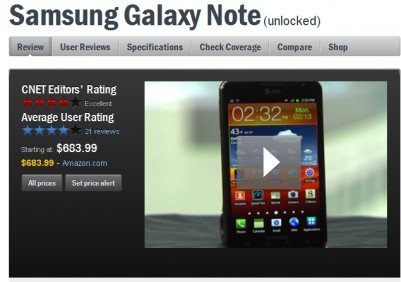
Galaxy Note got a quite good review on performance, phone quality, 4G LTE connectivity, 5.3″ display, and the camera. The editor’s major concerns are: 1). the S pen is too small and 2). the size of this device may be awkwardly large for some people to fit into pocket.
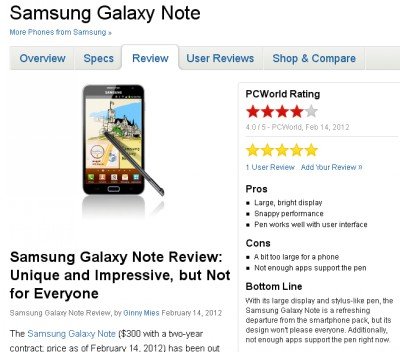
The review is quite positive. The reviewer dived into some aspects that other reviewers overlooked, e.g., Samsung’s TouchWiz UI, S Memo. The reviewer’s major concern is the lack of apps for S Pen. Spot on. The conclusion is unique and impressive, but not for everyone.

Follow Us!